SVG/PNG Chart Generator
/api/v1/natal/chart/Generate beautiful, customizable natal chart visualizations in SVG or high-resolution PNG format. Full control over colors, sizes, celestial bodies, and visual styling.
Unknown birth time is supported with time_known: false; houses and angles are omitted in that mode.
Related SVG Endpoints
Use the single-wheel natal endpoint for one person. For relationship charts, the SVG family also includes midpoint composite and synastry variants.
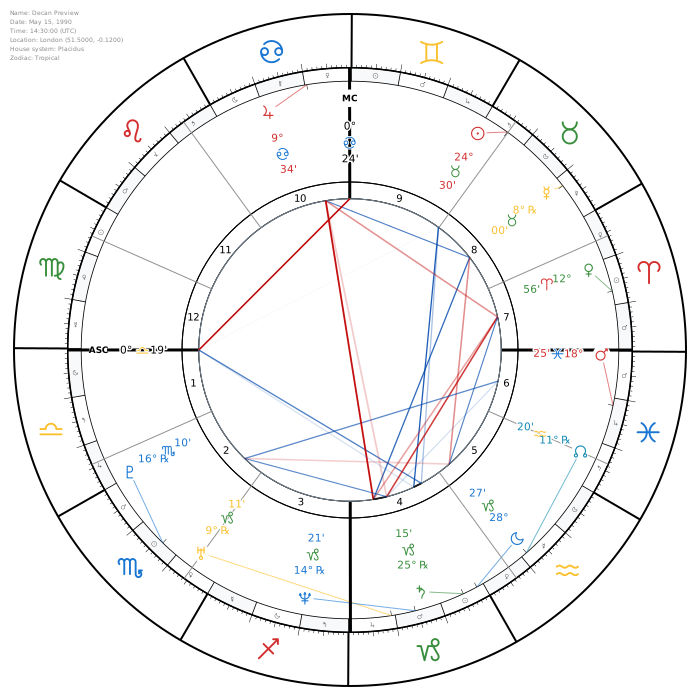
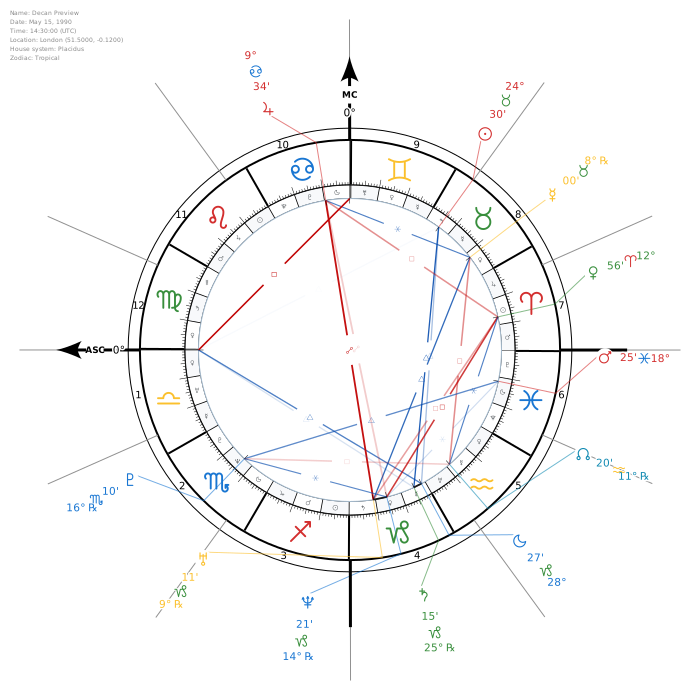
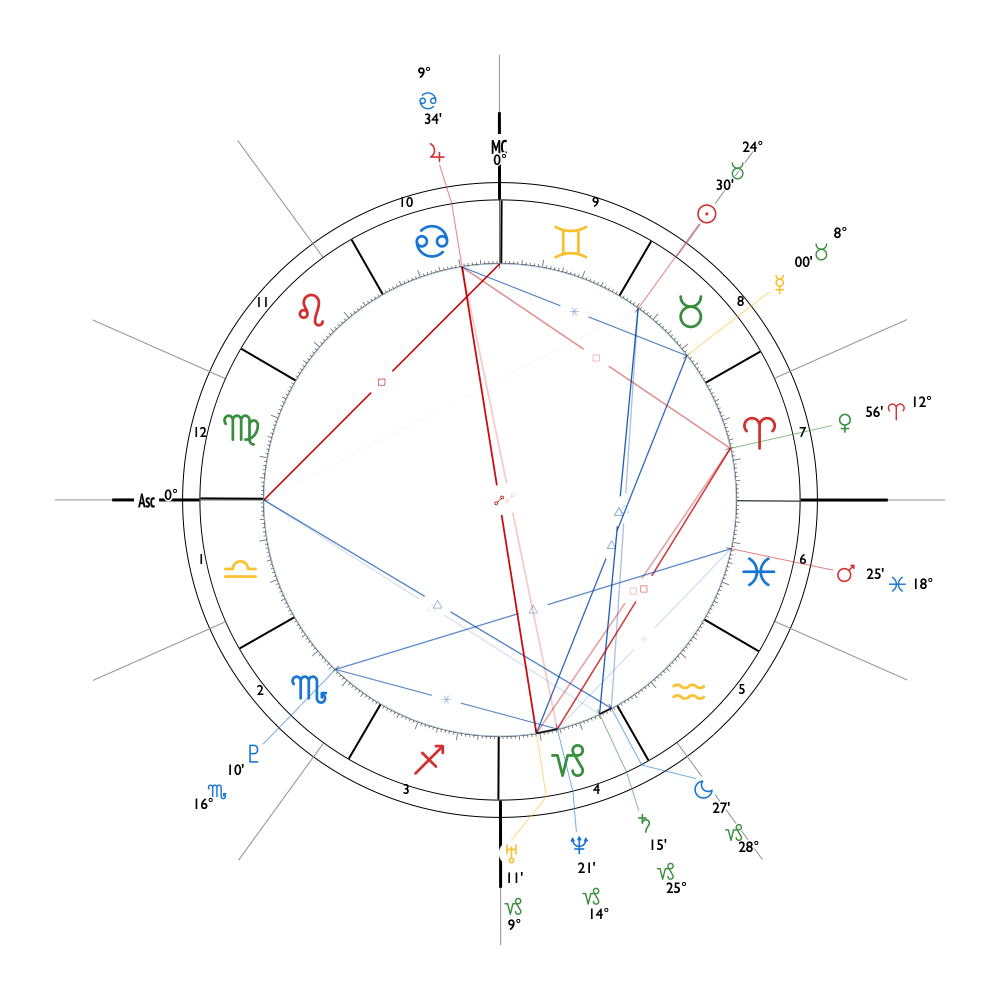
Example Output

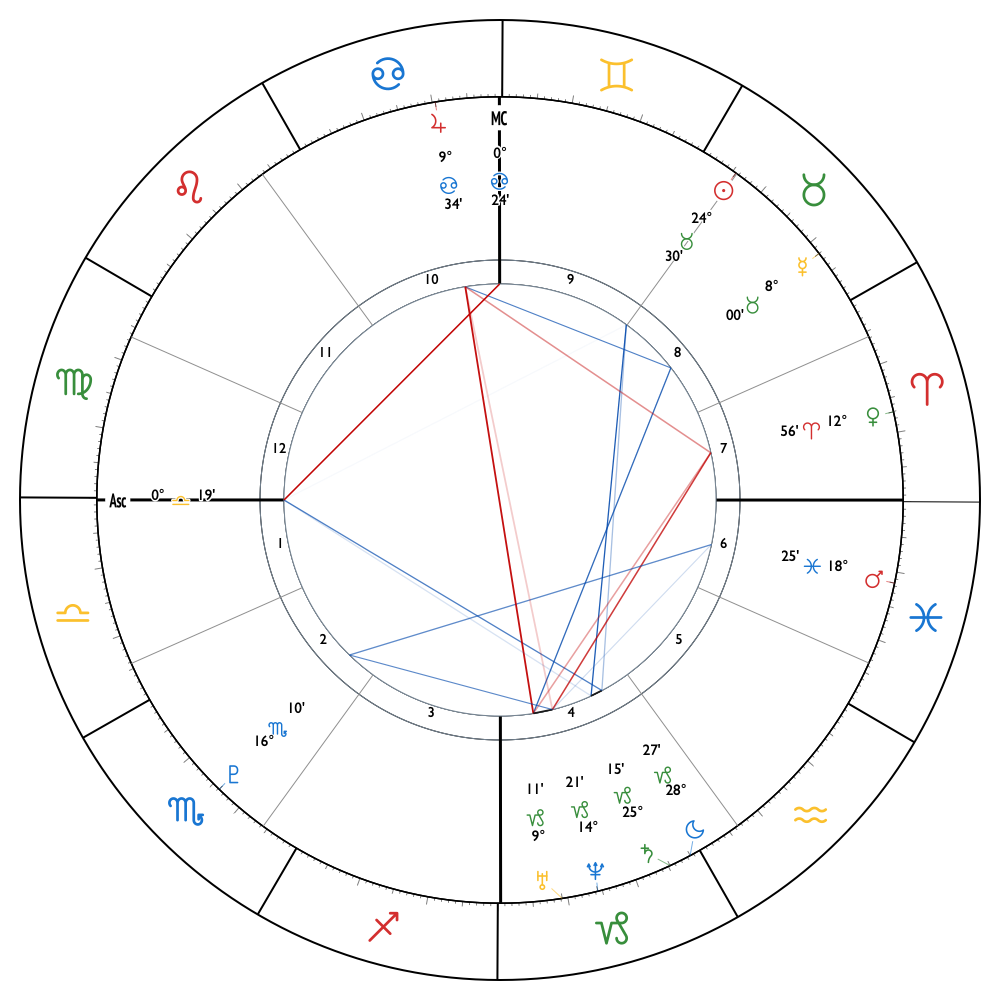
Real API-generated SVG using the default theme with chart_config.french_style: true.
Horoscope Shape Overlay
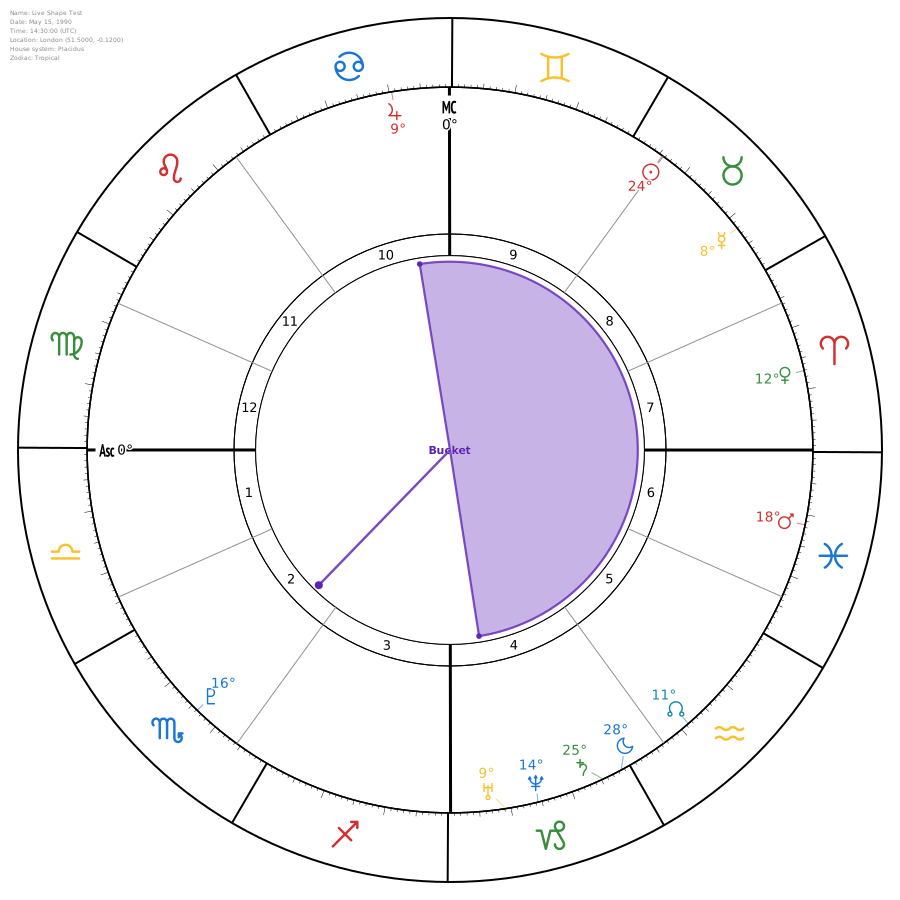
Set chart_config.show_horoscope_shape to true to detect the chart distribution shape from the 10 planets only. When a shape is detected, the central aspect mesh is hidden and replaced by a readable filled geometry.
Real API Output
This SVG was generated by POST /api/v1/natal/chart/ with a detected Bucket shape. The response includes data-key="horoscope_shape.bucket" and optional JSON metadata in freeastroapi-horoscope-shape.
Use these chart_config fields
show_horoscope_shapehoroscope_shape_stylehoroscope_shape_colorhoroscope_shape_labelembed_horoscope_shape_metadataSupported shapes and detector rules
- Bundle
- All 10 planets fit inside a 120° occupied arc.
- Bucket
- One handle planet, or one tight two-planet handle cluster, sits outside the main group. The remaining planets must fit within 181°, with no minimum cluster span; the handle cluster must span no more than 15°, the handle must be at least 30° from the main group, and the full chart must extend beyond a single 180° arc.
- Bowl
- All 10 planets occupy a continuous arc greater than 120° and no more than 210°, with a large empty gap of at least 150°. If one planet or a tight two-planet cluster stands apart as a handle, Bucket takes priority.
- See-Saw
- Two separated clusters, with the largest empty gap at least 90° and the second-largest empty gap at least 50°.
- Locomotive
- Planets occupy more than 210° and no more than 260°, leaving one leading empty gap from 100° up to, but not including, 150°.
- Splash
- Broad distribution with no large empty gap: the largest and second-largest interplanetary gaps are both under 60°.
Shape detection uses only Sun, Moon, Mercury, Venus, Mars, Jupiter, Saturn, Uranus, Neptune, and Pluto. Angles, nodes, asteroids, Lilith, Chiron, and lots do not affect the detected shape.
Aspect Pattern Overlay
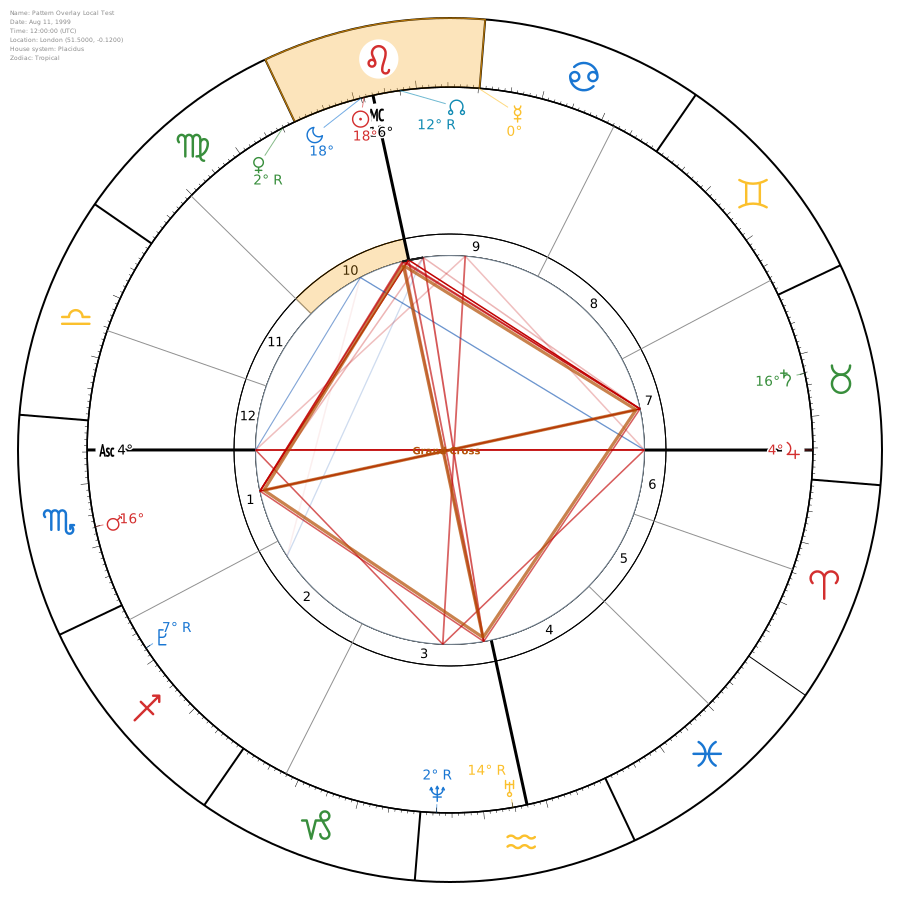
Use chart_config.show_pattern_overlays to render detected aspect structures directly on top of the chart. Pattern overlays keep the normal aspect circle visible and add highlighted underlays, strokes, labels, and stable SVG attributes for UI interaction.
Real API Output
This SVG shows a filtered Grand Cross overlay only, matching a setup with pattern_overlay_types set to grand_cross and pattern_overlay_max_items set to 1. Rendered elements include attributes such as data-pattern-type, data-bodies, and data-key="pattern.*" so your UI can highlight, filter, or explain that selected structure.
Use these chart_config fields
show_pattern_overlayspattern_overlay_typespattern_overlay_stylepattern_overlay_labelspattern_overlay_max_itemsembed_pattern_metadataSupported rendered structures include grand_trine, t_square, yod, kite, grand_cross, minor_grand_trine, wedge, mystic_rectangle, cradle, castle, grand_sextile, and stellium.
Theme Preview Gallery
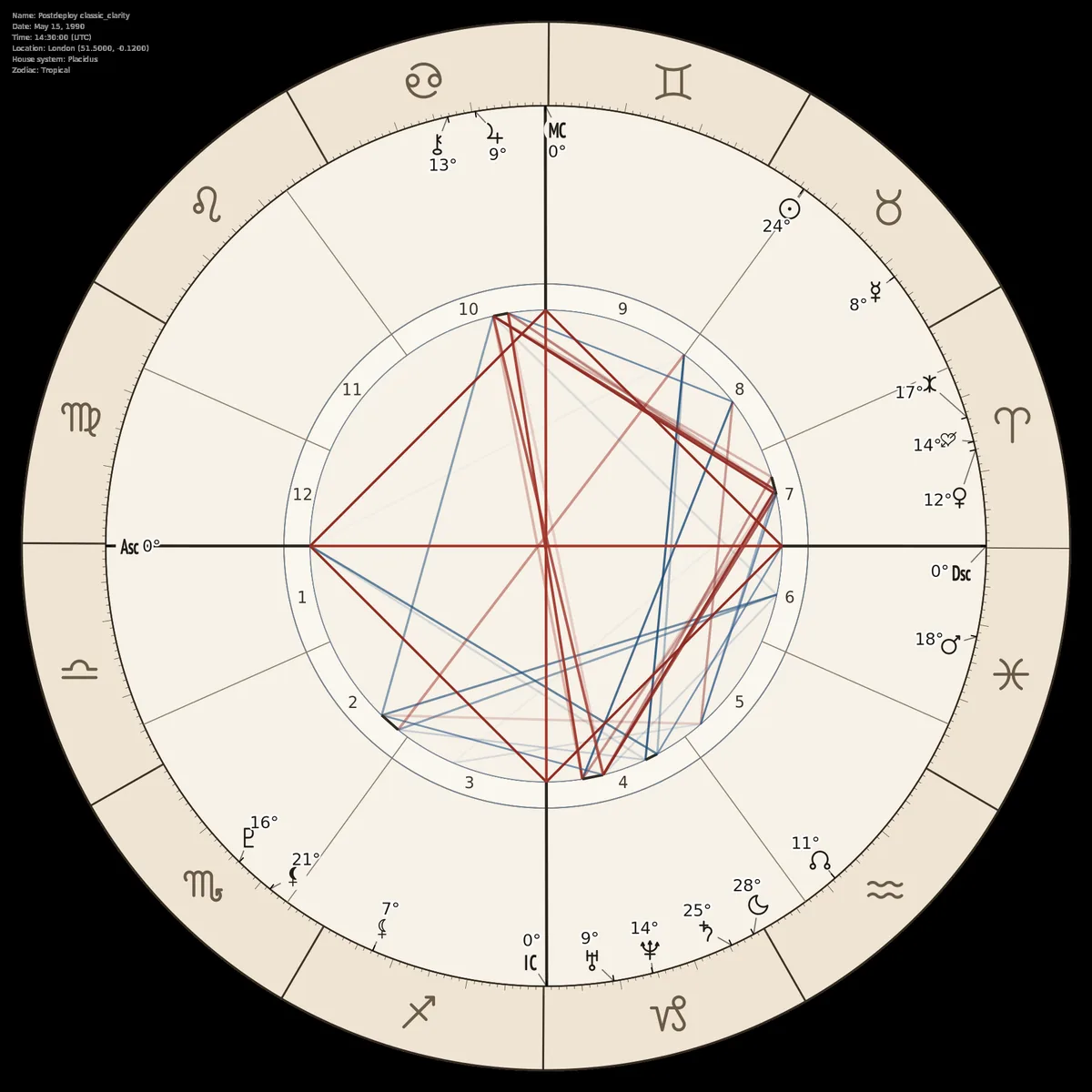
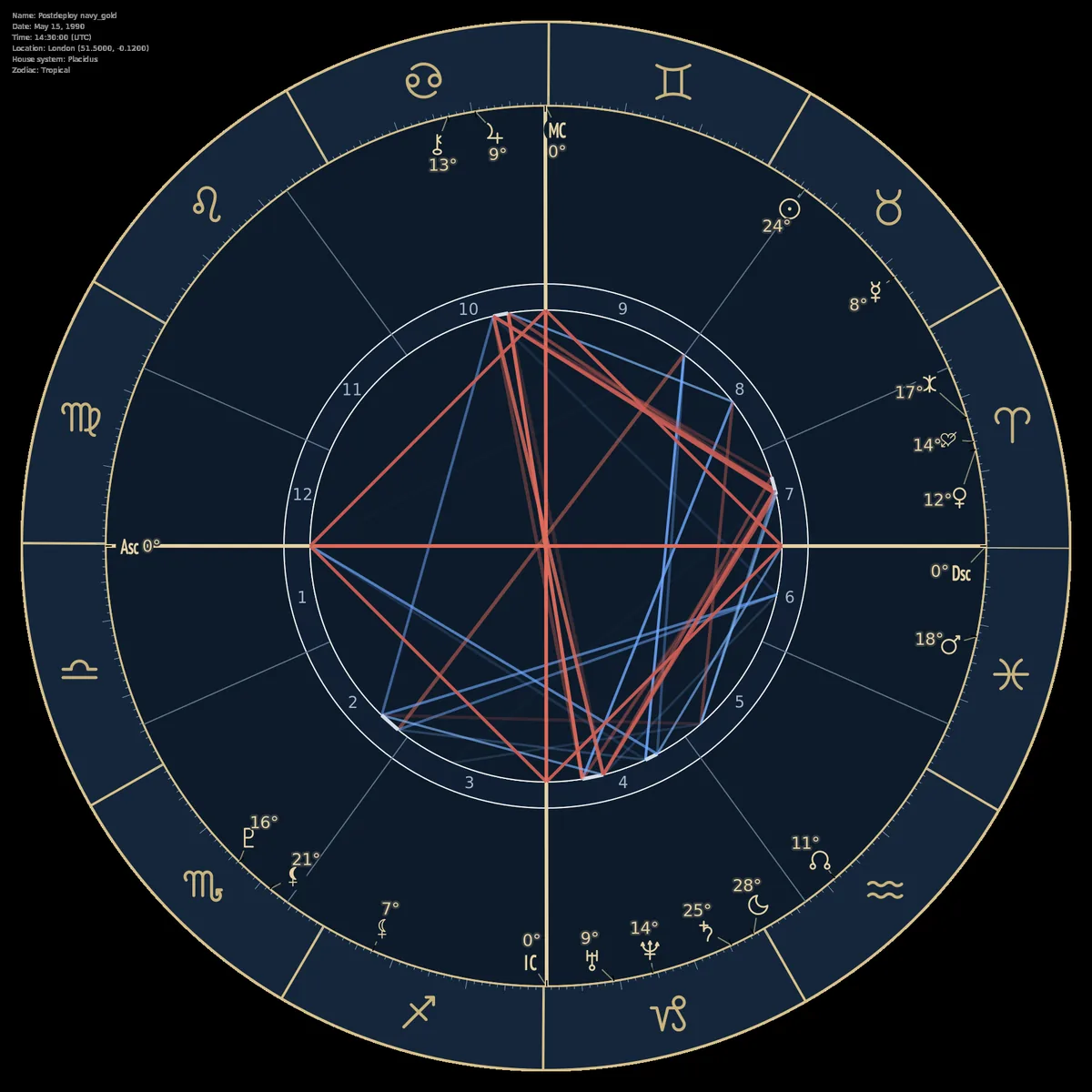
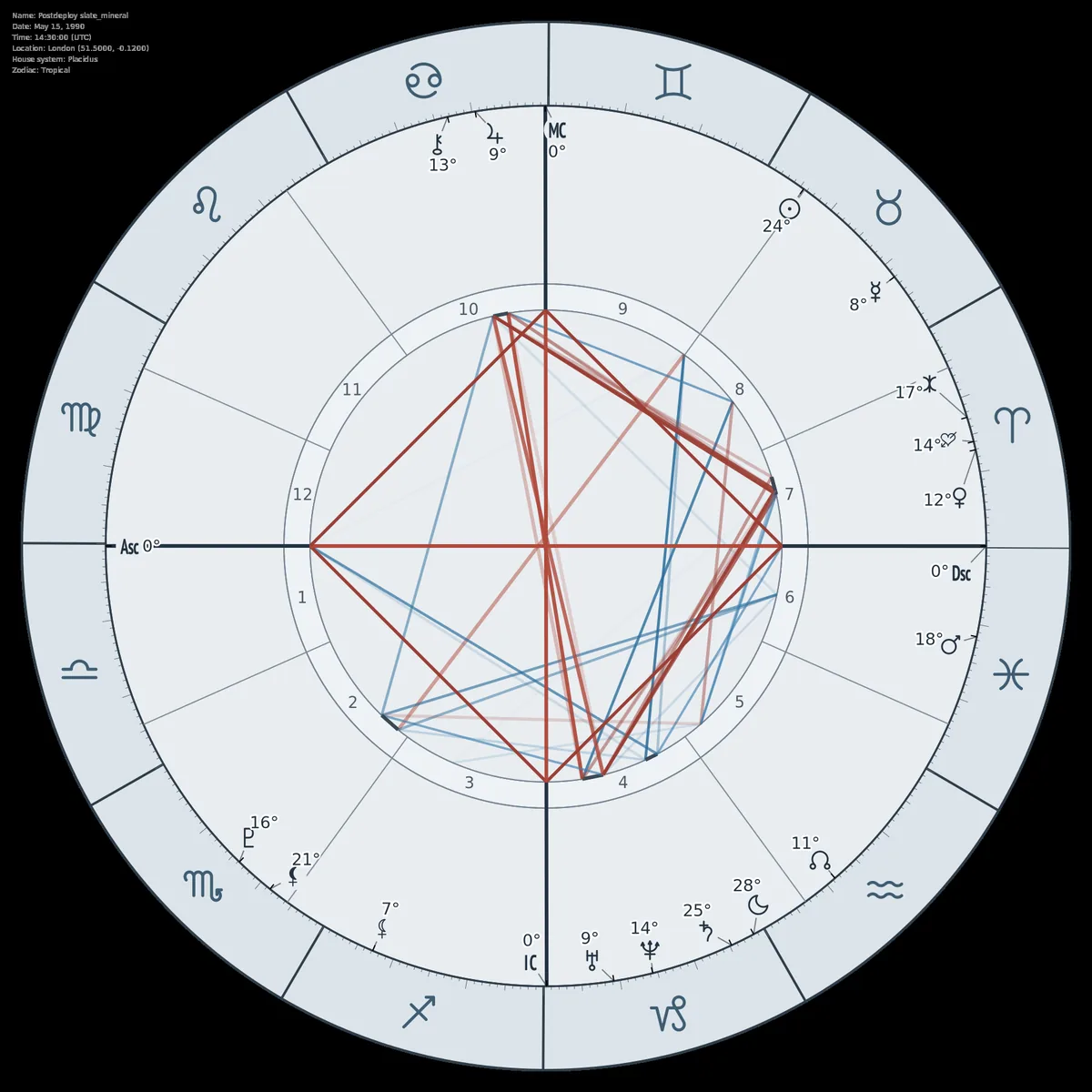
Three production-style chart themes rendered from API presets. Images are optimized WebP previews to demonstrate quality and performance.

Classic Clarity
Balanced consultation profile with restrained line hierarchy.

Navy Gold
Dark premium palette with high-contrast symbolic readability.

Slate Mineral
Neutral cool-gray palette for technical chart reading.
Editorial Theme Presets (Color-Only)
These presets use existing request parameters only. They do not require any internal renderer changes.
Ivory Ink
Light editorial palette with warm paper tones and restrained ink contrast.
{
"name": "Theme: Ivory Ink",
"year": 1990,
"month": 5,
"day": 15,
"hour": 14,
"minute": 30,
"city": "London",
"lat": 51.5,
"lng": -0.12,
"tz_str": "UTC",
"format": "png",
"theme_type": "light",
"chart_config": {
"chart_background": "#F6F1E8",
"custom_planet_color": "#1E1B18",
"custom_sign_color": "#6A5B48",
"custom_house_color": "#3E362C",
"custom_sign_bg_color": "#EFE4D3",
"custom_house_bg_color": "#FAF6EE",
"sign_line_color": "#3A3128",
"house_line_color": "#8C7C68",
"aspect_conjunction_color": "#2F2A24",
"aspect_opposition_color": "#A1362A",
"aspect_trine_color": "#1F4E79",
"aspect_square_color": "#8F2B23",
"aspect_sextile_color": "#355E8D",
"aspect_quincunx_color": "#4D6A3A"
}
}Navy Gold
Dark premium palette with navy base and muted gold symbols/lines.
{
"name": "Theme: Navy Gold",
"year": 1990,
"month": 5,
"day": 15,
"hour": 14,
"minute": 30,
"city": "London",
"lat": 51.5,
"lng": -0.12,
"tz_str": "UTC",
"format": "png",
"theme_type": "dark",
"chart_config": {
"chart_background": "#0D1B2A",
"custom_planet_color": "#E7D3A5",
"custom_sign_color": "#C9B27C",
"custom_house_color": "#A7B8C9",
"custom_sign_bg_color": "#14263B",
"custom_house_bg_color": "#102034",
"sign_line_color": "#D8C08A",
"house_line_color": "#60758D",
"aspect_conjunction_color": "#D6DCE5",
"aspect_opposition_color": "#E06C5B",
"aspect_trine_color": "#6EA8FF",
"aspect_square_color": "#C85C53",
"aspect_sextile_color": "#7EB7FF",
"aspect_quincunx_color": "#7EBB8D"
}
}Slate Mineral
Neutral cool-gray palette with mineral blue-green aspect accents.
{
"name": "Theme: Slate Mineral",
"year": 1990,
"month": 5,
"day": 15,
"hour": 14,
"minute": 30,
"city": "London",
"lat": 51.5,
"lng": -0.12,
"tz_str": "UTC",
"format": "png",
"theme_type": "light",
"chart_config": {
"chart_background": "#E9EDF1",
"custom_planet_color": "#22313F",
"custom_sign_color": "#3F5D73",
"custom_house_color": "#4D5B66",
"custom_sign_bg_color": "#DCE4EA",
"custom_house_bg_color": "#EEF2F6",
"sign_line_color": "#2F3D49",
"house_line_color": "#7D8C98",
"aspect_conjunction_color": "#3A4955",
"aspect_opposition_color": "#B04A3B",
"aspect_trine_color": "#2B6F9C",
"aspect_square_color": "#9A3E33",
"aspect_sextile_color": "#3D7FAF",
"aspect_quincunx_color": "#4A7A63"
}
}Classic Clarity
Professional consultation baseline with restrained line hierarchy and cleaner aspect mesh.
{
"name": "Theme: Classic Clarity",
"year": 1990,
"month": 5,
"day": 15,
"hour": 14,
"minute": 30,
"city": "London",
"lat": 51.5,
"lng": -0.12,
"tz_str": "UTC",
"format": "png",
"theme_type": "light",
"chart_config": {
"sign_line_width": 1.6,
"house_line_width": 0.9,
"asc_line_width": 2.4,
"dsc_line_width": 2.4,
"mc_line_width": 2.4,
"ic_line_width": 2.4,
"sign_ring_inner_width": 1.2,
"sign_ring_outer_width": 1.6,
"house_ring_inner_width": 0.8,
"house_ring_outer_width": 0.9,
"sign_tick_width": 0.45,
"aspect_conjunction_width": 2.2,
"aspect_opposition_width": 2.2,
"aspect_trine_width": 1.8,
"aspect_square_width": 2.0,
"aspect_sextile_width": 1.5,
"aspect_quincunx_width": 1.3
}
}Dense Analysis
Advanced technical profile with stronger axis/ring/aspect weights for high-detail reading.
{
"name": "Theme: Dense Analysis",
"year": 1990,
"month": 5,
"day": 15,
"hour": 14,
"minute": 30,
"city": "London",
"lat": 51.5,
"lng": -0.12,
"tz_str": "UTC",
"format": "png",
"theme_type": "light",
"chart_config": {
"sign_line_width": 2.6,
"house_line_width": 1.35,
"asc_line_width": 3.6,
"dsc_line_width": 3.6,
"mc_line_width": 3.6,
"ic_line_width": 3.6,
"sign_ring_inner_width": 1.9,
"sign_ring_outer_width": 2.6,
"house_ring_inner_width": 1.2,
"house_ring_outer_width": 1.3,
"sign_tick_width": 0.62,
"aspect_conjunction_width": 3.2,
"aspect_opposition_width": 3.2,
"aspect_trine_width": 2.6,
"aspect_square_width": 2.9,
"aspect_sextile_width": 2.3,
"aspect_quincunx_width": 2.0
}
}Full URL
https://api.freeastroapi.com/api/v1/natal/chart/Base Parameters
| Parameter | Type | Required | Default | Description |
|---|---|---|---|---|
| name | string | Yes | - | Subject name (displayed in metadata) |
| year | integer | Yes | - | Birth year (e.g., 1990) |
| month | integer | Yes | - | Birth month (1-12) |
| day | integer | Yes | - | Birth day (1-31) |
| hour | integer | Yes | - | Birth hour (0-23, 24-hour format) |
| minute | integer | Yes | - | Birth minute (0-59) |
| time_known | boolean | No | true | Set false when birth time is unknown. In that mode, houses and angles are omitted from the chart. |
| city | string | No | - | City name. Optional when lat/lng are provided; used for coordinate lookup when they are omitted. |
| lat | float | No | auto | Latitude (-90 to 90). Required together with lng if city is omitted. |
| lng | float | No | auto | Longitude (-180 to 180). Required together with lat if city is omitted. |
| tz_str | string | No | AUTO | Timezone (e.g., 'Europe/Paris' or 'AUTO') |
| house_system | string | No | placidus | placidus, whole_sign, equal, koch, etc. |
| zodiac_type | string | No | tropical | tropical or sidereal |
| sidereal_ayanamsa | string | No | lahiri | lahiri, raman, kp, etc. (sidereal only) |
Chart Output Parameters
| Parameter | Type | Required | Default | Description |
|---|---|---|---|---|
| format | string | No | svg | Output format: 'svg' or 'png' |
| size | integer | No | 700 | Chart width/height in pixels |
| theme_type | string | No | light | Theme: 'light', 'dark', or 'mono' |
| png_quality_scale | float | No | 2.0 | PNG resolution multiplier (1.0-5.0) |
| show_metadata | boolean | No | true | Show metadata block (name, date, location) |
| display_settings | object | No | {} | Per-body visibility toggles for planets, angles, and optional points. |
| chart_config | object | No | {} | Advanced visual styling and layout overrides. See the Chart Configuration section below for supported fields. |
Fixed Stars
Fixed stars requested on chart SVGs render in the same body wheel as planets and points, using a three-letter label such as Reg or Ald. Aspect lines are opt-in through chart_config.show_fixed_star_aspects and default to tight conjunctions only.
| Parameter | Type | Required | Default | Description |
|---|---|---|---|---|
| fixed_stars | array<string> | No | [] | Fixed-star selector rendered in the body wheel. Accepts pack ids such as royal_4 and behenian_20, exact fixed-star names such as Spica or Regulus, or all for the full default set. |
| chart_config.fixed_star_color | string | No | theme points color | Color for fixed-star labels, connectors, and opt-in fixed-star aspect lines. |
| chart_config.show_fixed_star_aspects | boolean | No | false | Opt in to fixed-star aspect lines. |
| chart_config.fixed_star_aspect_types | array<string> | No | ['conjunction'] | Aspect types to draw for fixed stars. Supports conjunction, opposition, trine, square, sextile, quincunx. |
| chart_config.fixed_star_aspect_orb | float | No | 1.0 | Orb in degrees for fixed-star aspects. |
The 20 Classical/Behenian Stars
The full list of important fixed stars for traditional astrology workflows.
"fixed_stars": ["behenian_20"]The 4 Royal Stars
Regulus, Aldebaran, Antares, and Fomalhaut.
"fixed_stars": ["royal_4"]{
"name": "Natal Chart with Royal Fixed Stars",
"year": 1990,
"month": 5,
"day": 15,
"hour": 14,
"minute": 30,
"city": "London",
"lat": 51.5,
"lng": -0.12,
"tz_str": "UTC",
"format": "svg",
"theme_type": "light",
"fixed_stars": ["royal_4"],
"chart_config": {
"degree_label_format": "minutes",
"show_planet_connectors": true,
"show_fixed_star_aspects": true,
"fixed_star_aspect_types": ["conjunction"],
"fixed_star_aspect_orb": 1.0,
"fixed_star_color": "#A16207"
}
}Display Settings (display_settings object)
Control which celestial bodies appear on the chart:
| Parameter | Type | Required | Default | Description |
|---|---|---|---|---|
| sun | boolean | No | true | Show Sun |
| moon | boolean | No | true | Show Moon |
| mercury | boolean | No | true | Show Mercury |
| venus | boolean | No | true | Show Venus |
| mars | boolean | No | true | Show Mars |
| jupiter | boolean | No | true | Show Jupiter |
| saturn | boolean | No | true | Show Saturn |
| uranus | boolean | No | true | Show Uranus |
| neptune | boolean | No | true | Show Neptune |
| pluto | boolean | No | true | Show Pluto |
| north_node | boolean | No | true | Show North Node |
| south_node | boolean | No | false | Show South Node |
| chiron | boolean | No | false | Show Chiron |
| lilith | boolean | No | false | Show Mean Black Moon Lilith (preferred; alias: mean_lilith) |
| true_lilith | boolean | No | false | Show True (oscillating) Black Moon Lilith |
| eris | boolean | No | false | Show Eris |
| eros | boolean | No | false | Show Eros |
| ceres | boolean | No | false | Show Ceres |
| pallas | boolean | No | false | Show Pallas |
| juno | boolean | No | false | Show Juno |
| vesta | boolean | No | false | Show Vesta |
| asc | boolean | No | true | Show Ascendant |
| ic | boolean | No | false | Show IC |
| dsc | boolean | No | false | Show Descendant |
| mc | boolean | No | true | Show MC |
| part_of_fortune | boolean | No | false | Show Part of Fortune (Arabic Lot) |
Chart Configuration (chart_config object)
Fine-tune the visual appearance of the chart:
| Parameter | Type | Required | Default | Description |
|---|---|---|---|---|
| sign_ring_thickness_fraction | float | No | 0.16 | Sign ring thickness (0.0-1.0) |
| house_ring_thickness_fraction | float | No | 0.05 | House ring thickness (0.0-1.0) |
| center_disk_fraction | float | No | 0.45 | Center disk radius (0.0-1.0) |
| planet_symbol_scale | float | No | 0.35 | Planet symbol size multiplier |
| planet_spacing_scale | float | No | auto | Multiplier applied to planet glyph angular spacing. If omitted, spacing increases automatically when planet_symbol_scale is above default. |
| sign_symbol_scale | float | No | 0.6 | Sign symbol size multiplier |
| house_number_scale | float | No | 0.35 | House number size multiplier |
| chart_background | string | No | null | Background color override (hex) |
| aspect_circle_background | string | No | null | Fill color for the central aspect circle/disk. Defaults to chart_background or the active theme background. |
| custom_planet_color | string | No | null | Override all planet colors (hex) |
| custom_sign_color | string | No | null | Override all sign symbol colors (hex) |
| custom_house_color | string | No | null | Override all house number colors (hex) |
| degree_label_color | string | No | null | Override planet degree/minute label text color (hex or CSS color) |
| angle_label_color | string | No | null | Fallback color for all ASC/DSC/MC/IC glyph labels. |
| asc_label_color | string | No | null | ASC glyph label color. Also available for dsc_label_color, mc_label_color, and ic_label_color. |
| angle_label_scale | float | No | null | Fallback scale multiplier for all ASC/DSC/MC/IC glyph labels. |
| asc_label_scale | float | No | null | ASC glyph label scale multiplier. Also available for dsc_label_scale, mc_label_scale, and ic_label_scale. |
| angle_marker_style | string | No | glyph | Angle marker rendering: "glyph" keeps ASC/DSC/MC/IC abbreviation glyphs; "french_arrow" draws French-style ASC/MC axis arrows outside the sign ring. |
| angle_line_span | string | No | wheel | Angle axis line span: "wheel" keeps ASC/DSC and MC/IC lines in the default wheel area; "full" extends those axes across the chart and stops at the sign ring edge. Use angle_marker_style "french_arrow" when you want outside-ring ASC/MC arrows. |
| show_angle_labels_with_french_arrows | boolean | No | true | When angle_marker_style is "french_arrow", render enabled ASC/DSC/MC/IC glyph labels. Set false to hide them. |
| planet_connector_clearance | float | No | auto | Distance in SVG pixels from a planet/point glyph center where its connector line stops. Increase this when large glyphs need more breathing room. |
| custom_sign_bg_color | string | No | null | Single hex color applied to all 12 sign ring backgrounds. When set, sign backgrounds are automatically enabled. |
| custom_house_bg_color | string | No | null | Single hex color applied to all 12 house ring backgrounds. When set, house backgrounds are automatically enabled. |
| show_aspect_symbols | boolean | No | auto | Show midpoint aspect glyphs and split aspect lines around them. Defaults to on in French style and off otherwise. |
| show_pattern_overlays | boolean | No | false | Overlay detected chart structures and patterns on the SVG. Supported structures include grand_trine, t_square, yod, kite, grand_cross, minor_grand_trine, wedge, mystic_rectangle, cradle, castle, grand_sextile, and stellium. |
| pattern_overlay_types | array | No | null | Optional allow-list of overlay types to render, for example ["grand_trine", "t_square", "stellium"]. When omitted, all detected supported overlays may render up to pattern_overlay_max_items. |
| pattern_overlay_style | string | No | subtle | Overlay intensity: "subtle" or "strong". |
| pattern_overlay_labels | boolean | No | false | Show compact labels for rendered configuration overlays. |
| pattern_overlay_max_items | integer | No | 4 | Maximum number of configuration overlays to draw. Stellium sign/house highlights are separate and are not counted against this limit. |
| embed_pattern_metadata | boolean | No | false | Embed detected overlay data in an SVG metadata element for downstream hover, legend, or selection UI. |
| show_horoscope_shape | boolean | No | false | Detect the chart distribution shape using only the 10 planets and render it in the central aspect disk. When a shape is detected, regular central aspect lines/ticks are hidden for readability. |
| horoscope_shape_style | string | No | subtle | Horoscope shape overlay intensity: "subtle" or "strong". |
| horoscope_shape_color | string | No | #D97706 | SVG color used for all horoscope shape overlays. |
| horoscope_shape_label | boolean | No | true | Show a compact label for the detected shape, such as Bucket, Bowl, Locomotive, Bundle, Splash, or Seesaw. |
| embed_horoscope_shape_metadata | boolean | No | true | Embed detected horoscope shape data in an SVG metadata element. |
| show_retrograde_markers | boolean | No | false | Enable retrograde markers on planet degree labels. |
| retrograde_marker_style | string | No | R | Retrograde marker style when enabled: "R" or "rx" (℞). |
| degree_label_format | string | No | null | Planet degree label format: "degree" for whole degrees, "decimal" for decimal degrees, or "minutes" for stacked minute + sign glyph + whole degree labels. If omitted, degree_label_precision > 0 preserves the legacy minutes layout. |
| degree_label_precision | integer | No | 0 | Decimal places for degree_label_format="decimal". Allowed range: 0-4. For backward compatibility, if degree_label_format is omitted, values greater than 0 enable the stacked minutes layout. |
| degree_label_scale | float | No | 0.6 | Base planet degree label text scale. |
| degree_label_degree_scale | float | No | 1.0 | Precise label whole-degree text scale relative to degree_label_scale. |
| degree_label_minute_scale | float | No | 1.0 | Precise label minute text scale relative to degree_label_scale. |
| degree_label_sign_scale | float | No | 1.25 | Precise label zodiac sign glyph scale relative to degree_label_scale. |
| degree_label_row_gap | float | No | 1.55 | Precise label spacing between degree, sign, and minute rows, relative to degree_label_scale. |
| houses_inside_planets | boolean | No | true | Place houses inside planet ring |
| french_style | boolean | No | false | Natal-only French horoscope layout: aspect disk inside sign rim, houses outside signs, planets outside houses. |
| french_planet_radius_offset | float | No | 0 | Natal French-mode only. Moves planet glyphs radially outward or inward without moving the house/sign rings. |
Degree Label Format Examples
Use degree_label_format: "minutes" to render each precise label as separate degree, sign glyph, and minute rows. The examples below are PNG outputs generated from the same endpoint in standard and French layouts.

Standard Layout
Houses stay inside the planet lane; precise labels are stacked toward the chart center.
{
"format": "png",
"theme_type": "light",
"chart_config": {
"degree_label_format": "minutes",
"degree_label_color": "#000000",
"houses_inside_planets": true
}
}
French Layout
French mode keeps non-angle precise labels outside the planet glyphs while angle labels remain compact.
{
"format": "png",
"theme_type": "light",
"chart_config": {
"degree_label_format": "minutes",
"degree_label_color": "#000000",
"french_style": true,
"houses_inside_planets": false
}
}Sample Code
curl -X POST "https://api.freeastroapi.com/api/v1/natal/chart/" \
-H "Content-Type: application/json" \
-H "x-api-key: YOUR_API_KEY" \
-d '{
"name": "John Doe",
"year": 1990,
"month": 5,
"day": 15,
"hour": 14,
"minute": 30,
"time_known": false,
"lat": 40.7128,
"lng": -74.006,
"tz_str": "AUTO",
"house_system": "placidus",
"zodiac_type": "tropical",
"format": "svg",
"size": 800,
"theme_type": "light",
"png_quality_scale": 2.0,
"show_metadata": true,
"display_settings": {
"chiron": true,
"lilith": true,
"north_node": true
},
"chart_config": {
"sign_ring_thickness_fraction": 0.16,
"house_ring_thickness_fraction": 0.05,
"planet_symbol_scale": 0.35,
"sign_symbol_scale": 0.6,
"angle_marker_style": "glyph",
"angle_line_span": "wheel",
"french_style": false,
"french_planet_radius_offset": 0,
"show_aspect_symbols": true,
"show_retrograde_markers": true,
"retrograde_marker_style": "R",
"degree_label_format": "minutes",
"custom_planet_color": "#FF5733",
"aspect_circle_background": "#F8F2FF",
"show_color_background": false
}
}' --output chart.svgAdvanced Styling
The chart_config object supports granular control over line widths, colors, and aspect styling. Additional parameters include:
sign_line_width,sign_line_colorhouse_line_width,house_line_colorasc_line_width,asc_line_color(and dsc, mc, ic)asc_label_color,asc_label_scale(and dsc, mc, ic)angle_marker_styleset tofrench_arrowfor French-style ASC/MC axis arrows; enabled angle labels stay visible unlessshow_angle_labels_with_french_arrowsis falseangle_line_spanset tofullto extend ASC/DSC and MC/IC axes to the sign ring edge; useangle_marker_stylefrench_arrowfor outside-ring arrowsplanet_connector_clearanceto stop connector lines before oversized glyphsaspect_circle_backgroundto color the central aspect disk onlyaspect_conjunction_width,aspect_conjunction_coloraspect_opposition_width,aspect_trine_width, etc.
FAQ
Do you support fixed stars?
Yes. The Chart SVG endpoint can render supported fixed stars in the same body wheel as planets and points. Use fixed_stars with pack IDs such as royal_4 or behenian_20, exact fixed-star names, or all for the full default set.
Which fixed-star packs are available?
Two ready packs are available: behenian_20 for the 20 Classical or Behenian stars, and royal_4 for Regulus, Aldebaran, Antares, and Fomalhaut.
Can I select individual fixed stars?
Yes. Pass exact supported names in the fixed_stars array, for example Spica or Regulus. The same fixed_stars array also accepts pack IDs such as royal_4 and behenian_20.
Can fixed stars show aspects?
Yes, but fixed-star aspects are optional. Enable chart_config.show_fixed_star_aspects, then choose fixed_star_aspect_types and fixed_star_aspect_orb when you need more than the default tight conjunction workflow.
Can I customize the fixed-star color?
Yes. Set chart_config.fixed_star_color to a CSS color or hex value. That color is used for fixed-star labels, connectors, and opt-in fixed-star aspect lines.
Do fixed stars show degree and sign labels?
Yes. Fixed stars use the same chart placement behavior as other rendered bodies and can show degree, sign, and minute labels when the chart degree-label configuration calls for it.
Do you have a tool to customize the charts?
Yes. The Chart Designer lets you configure chart colors, labels, line weights, themes, and other visual options before copying the request configuration into the API.
Can I customize chart colors, labels, aspects, and layout?
Yes. Use chart_config for colors, backgrounds, ring geometry, glyph scale, connector styling, aspect colors, line widths, degree labels, retrograde markers, French-style layout, and pattern overlays.
Can I export PNG as well as SVG?
Yes. Set format to svg for vector output or png for raster output. For PNG, png_quality_scale controls the output resolution multiplier.
Can I embed the SVG in my app?
Yes. The SVG response can be embedded directly in your frontend, stored as an asset, or converted in your own rendering pipeline. Use the API response according to your app's caching and security rules.
Can I build a mobile app with visual charts using this API?
Yes. You can use this endpoint to generate SVG or PNG chart visuals for a mobile app, then display the returned chart asset in your native or cross-platform UI. AstroLingo is an example app built with FreeAstroAPI visual chart capabilities.
Can I hide or show planets, points, and houses?
Yes. Use display_settings to toggle planets, nodes, Lilith, Chiron, asteroids, angles, and other supported points. When time_known is false, houses and angles are omitted automatically.
Can I show retrogrades?
Yes. Set chart_config.show_retrograde_markers to true. You can also choose the marker style with chart_config.retrograde_marker_style, using R or rx.
Can I use this endpoint for charts with unknown birth time?
Yes. Set time_known to false. The chart still renders planetary positions, but houses and angles are omitted because they depend on the birth time.
Do you support aspect patterns or horoscope shape overlays?
Yes. chart_config.show_pattern_overlays renders detected aspect structures, and chart_config.show_horoscope_shape renders the chart distribution shape in the central disk.
Is fixed-star rendering slower?
Fixed stars are only calculated and rendered when requested. Use a pack token such as royal_4 or a short fixed_stars list for readable charts and the smallest extra render cost.
How do I authenticate requests?
Send your API key in the x-api-key request header with Content-Type set to application/json.
Where should I go for transit, synastry, or composite chart SVGs?
Use the dedicated SVG endpoints for those chart types. They are documented separately from the natal Chart SVG endpoint.