 FreeAstroAPI
Astrology Chart APINatal & Transit Wheels for Developers
Generate production-ready chart wheels from a single request. Render natal SVG charts, transit overlays, unknown-time charts, and custom branded themes with existing chart_config and display_settings controls.
Endpoint Coverage
Two specialized endpoints cover single-wheel rendering and transit overlays with the same request style.
Natal Chart Wheel
Render a natal wheel in SVG or PNG with full styling controls, body toggles, optional metadata, and unknown-time handling.
Transit Overlay Wheel
Overlay current or custom-date transits over natal data and control whether inter-aspects, natal aspects, or transit aspects appear.
Output & Bodies
Return SVG or PNG and selectively render planets and points via display_settings, including Lilith variants, Eris, Eros, nodes, and classical planets.
Visual Control
Tune chart_config for colors, line widths, ring thickness, aspect styles, and branded chart backgrounds without touching renderer code.
Unknown Time Support
Keep time_known optional (default true). Set it to false to omit houses and angles while preserving planets, signs, and aspect analysis.
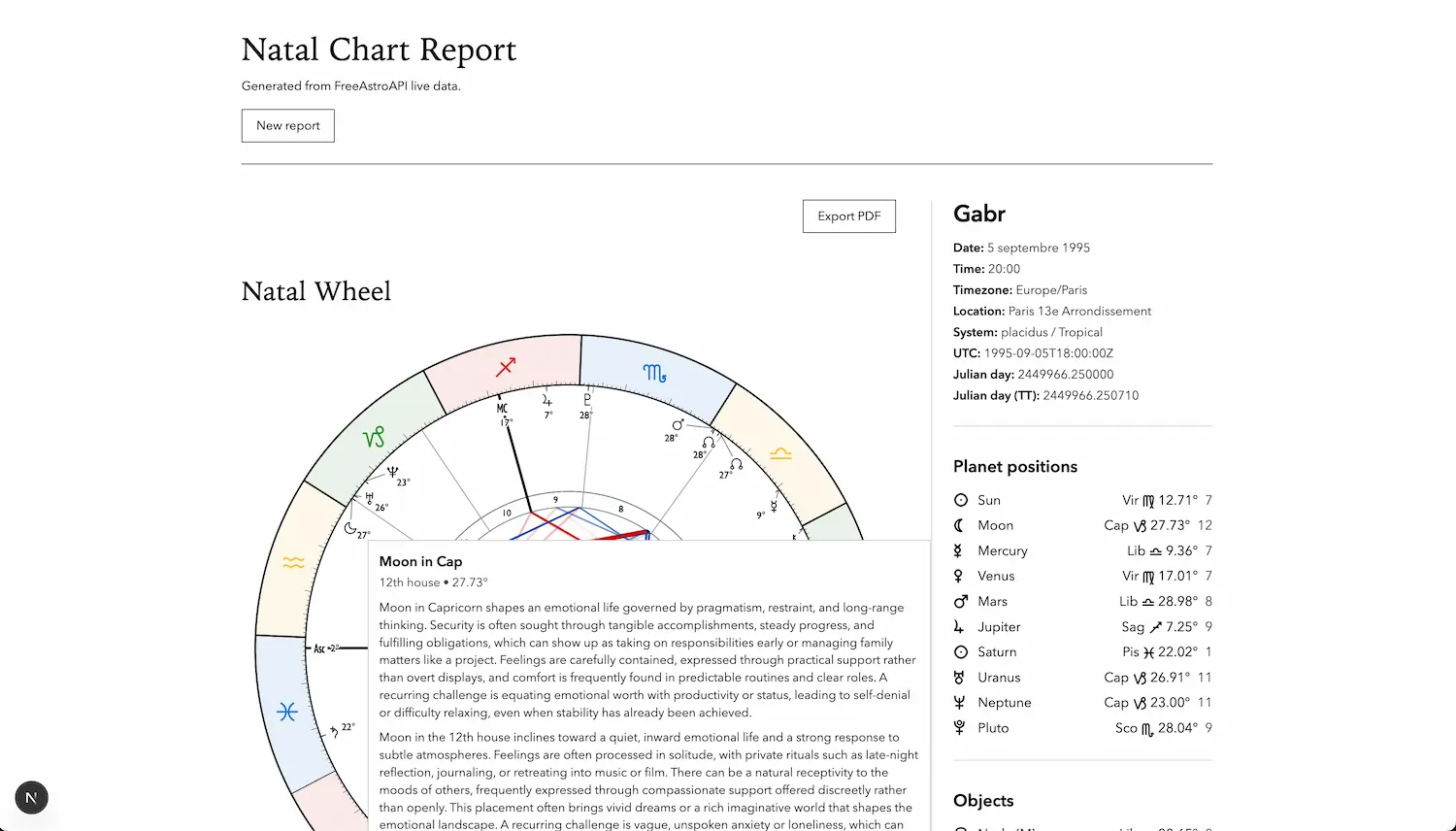
Live App Example
Preview these chart endpoints in a real astrology software UI.
Open Chart
Live preview: open-chart.vercel.app
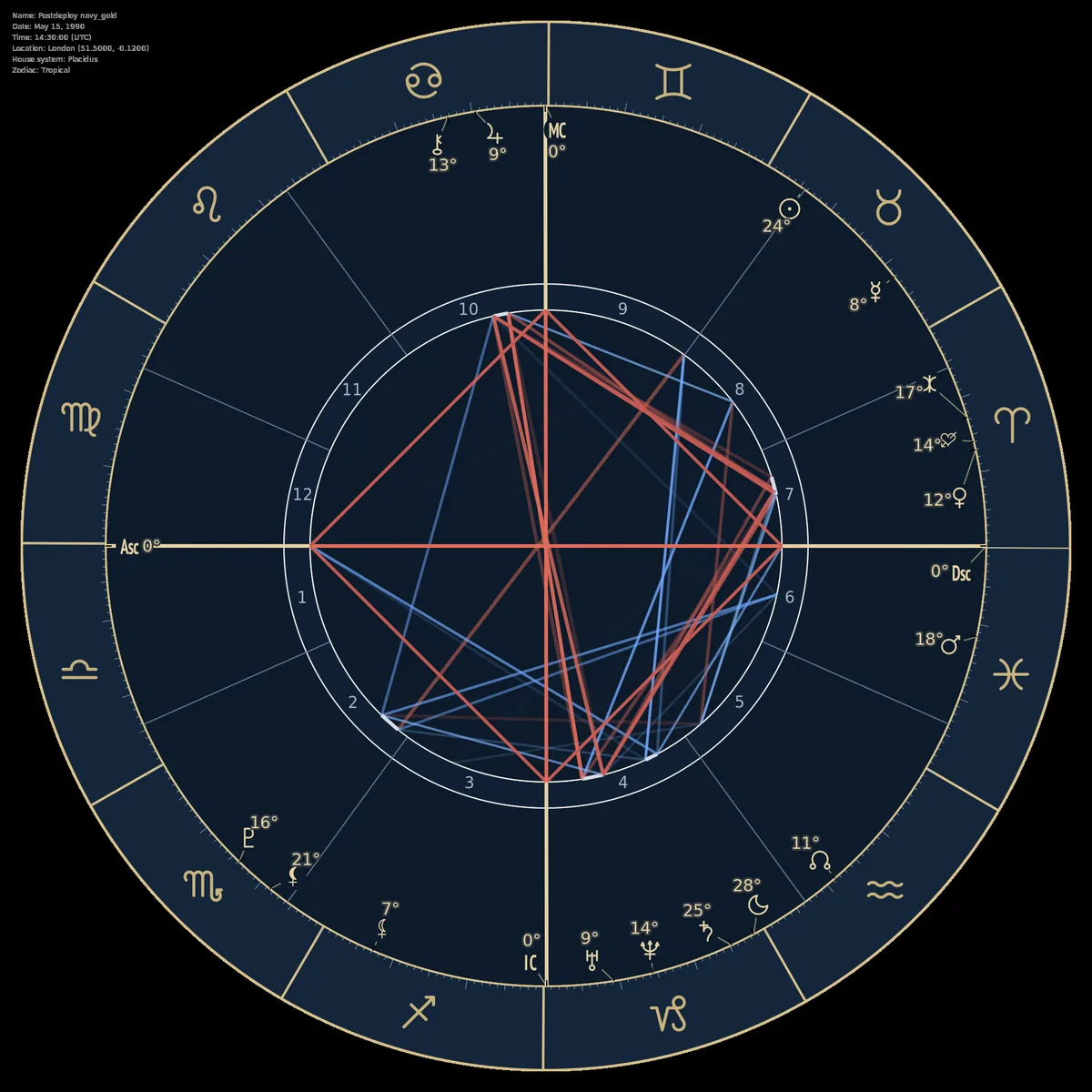
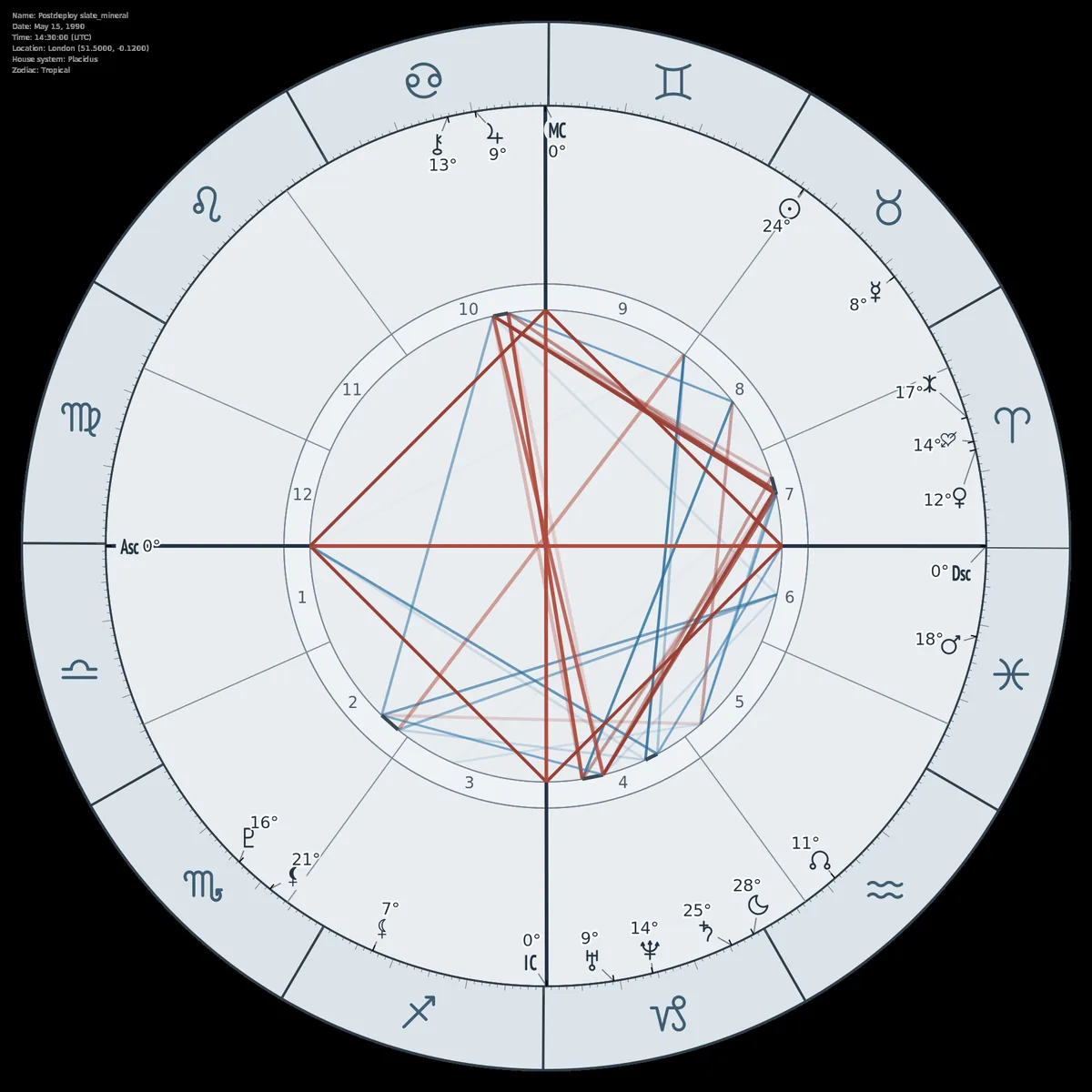
Theme Gallery
Generated directly from the chart endpoint with existing request parameters.

Integration in Minutes
Copy, run, and save rendered charts immediately. Use the same auth and payload style across both chart endpoints.
curl -X POST "https://astro-api-1qnc.onrender.com/api/v1/natal/chart/" \
 -H "Content-Type: application/json" \
 -H "x-api-key: YOUR_API_KEY" \
 -d '{
  "name": "Albert Einstein",
  "year": 1879,
  "month": 3,
  "day": 14,
  "hour": 11,
  "minute": 30,
  "lat": 48.4011,
  "lng": 9.9876,
  "tz_str": "AUTO",
  "format": "svg",
  "time_known": false,
  "display_settings": {
    "lilith": true,
    "true_lilith": true,
    "eris": true,
    "eros": true
  },
  "chart_config": {
    "show_retrograde_markers": true,
    "retrograde_marker_style": "R"
  }
}'curl -X POST "https://astro-api-1qnc.onrender.com/api/v1/natal/chart/transits" \
-H "Content-Type: application/json" \
-H "x-api-key: YOUR_API_KEY" \
-d '{
"natal": {
"name": "Albert Einstein",
"year": 1879,
"month": 3,
"day": 14,
"hour": 11,
"minute": 30,
"city": "Ulm, Germany",
"tz_str": "AUTO",
"format": "svg",
"time_known": false
},
"current_city": "Paris, France",
"transit_date": "2026-03-07T12:00",
"show_inter_aspects": true,
"show_natal_aspects": false,
"show_transit_aspects": false
}'Astrology Chart API FAQ
Does this API return SVG and PNG?
Yes. Set format to svg for vector output or png for raster output. You can also increase PNG detail with png_quality_scale.
Is time_known required?
No. time_known is optional and defaults to true. When false, houses and angles are omitted while non-time-dependent chart layers remain visible.
Can I show retrograde markers?
Yes, retrograde labels are opt-in. Enable chart_config.show_retrograde_markers and optionally choose the marker style.
How do I decide between natal and transits endpoints?
Use natal/chart for a single wheel from birth data. Use natal/chart/transits when you need current sky overlays and transit aspect control against natal positions.
Ship Chart Features Faster
Start with production-ready chart rendering and focus your time on product UX, not wheel rendering internals.
No credit card required for free tier.