
你需要一个项目文件夹、终端、Codex/Cursor/Claude Code/Antigravity 这类 AI coding tool,以及大约 10 分钟。API key 会保存在服务器端的 FREE_ASTRO_API_KEY 中。
1. 打开 FreeAstroAPI dashboard
如果还没有账户,先创建免费账户:
登录后打开 dashboard:
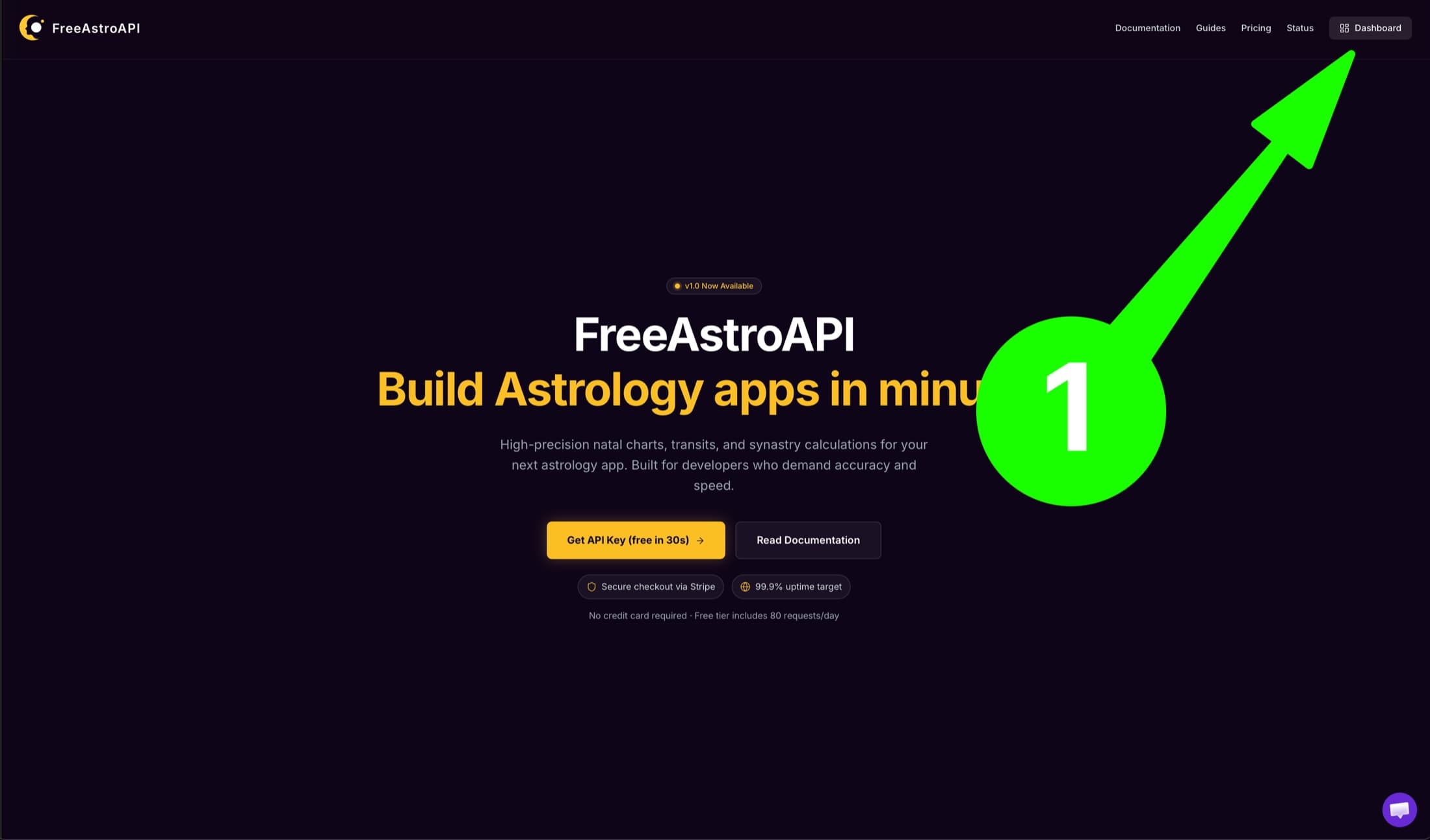
如果你已经从首页登录,点击右上角 Dashboard:
2. 创建 API key
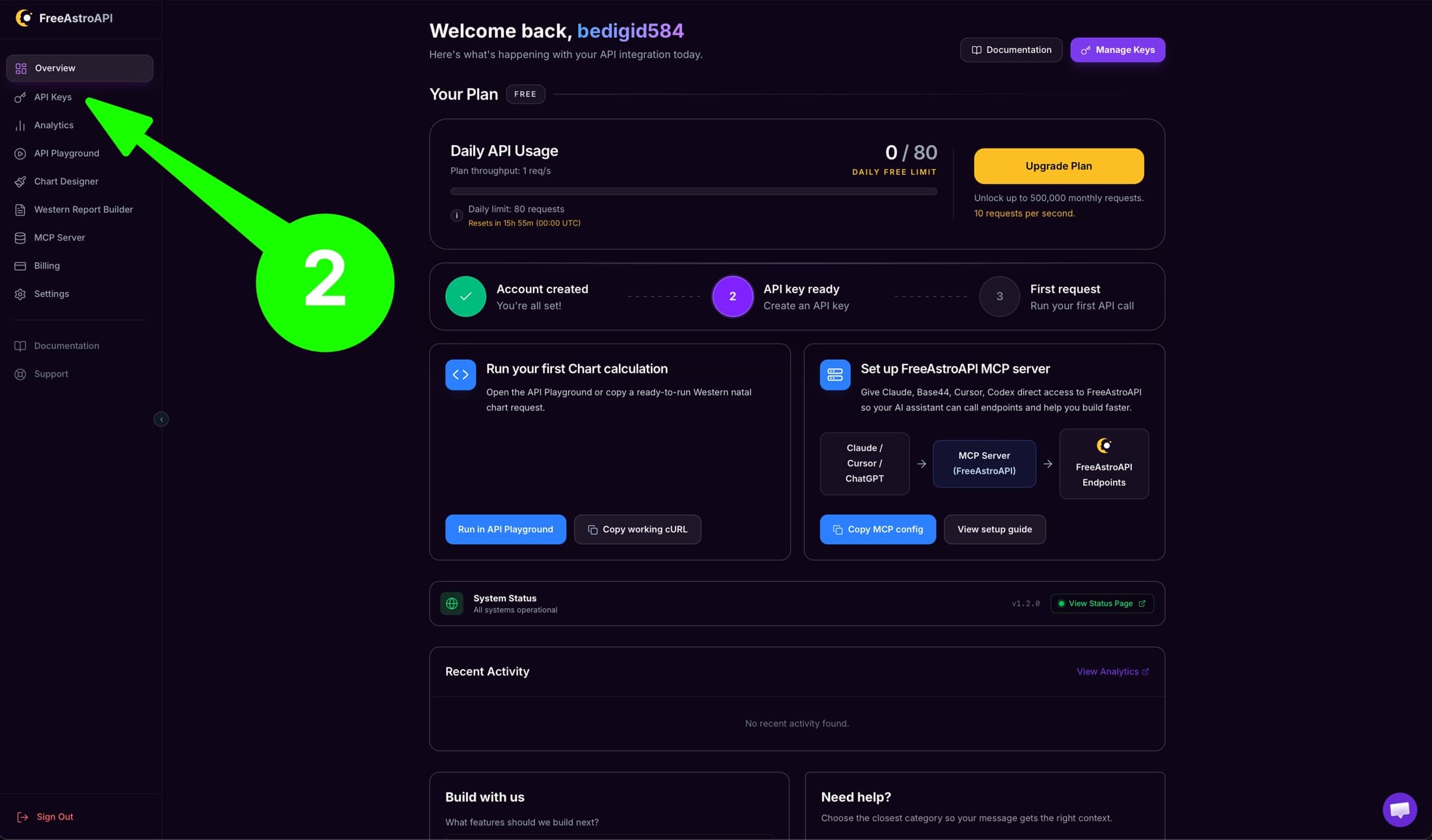
在 dashboard 左侧打开 API Keys。
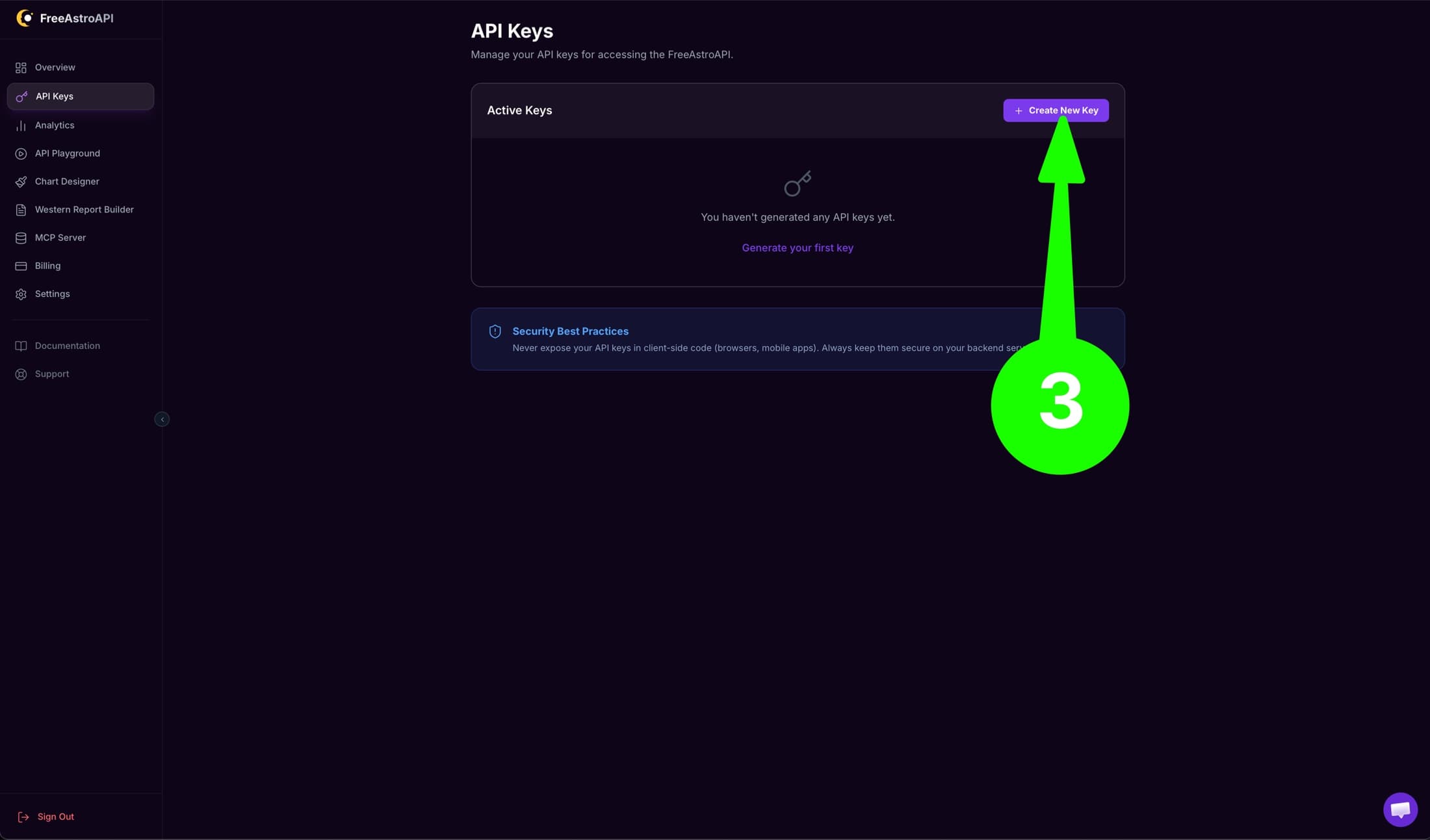
点击 Create New Key。
给 key 一个简单名称,例如:
Local development创建后立刻复制。完整 key 只显示一次。
下一步会用到它。不要把它提交到 Git。
3. 私密保存 key
大多数 Next.js 项目在项目根目录使用 .env.local。项目根目录通常包含 package.json。
创建或编辑 .env.local,加入:
FREE_ASTRO_API_KEY=paste_your_real_key_here添加后重启开发服务器。
如果项目不是 Next.js,使用框架对应的私有环境文件,例如 .env、.env.local 或类似文件。
每次 FreeAstroAPI 请求都使用这些事实:
- Base URL:
https://api.freeastroapi.com - API key header:
x-api-key - Private env var:
FREE_ASTRO_API_KEY - First endpoint:
POST /api/v1/natal/calculate
不要创建 NEXT_PUBLIC_FREE_ASTRO_API_KEY。以 NEXT_PUBLIC_ 开头的变量在某些前端应用中可能暴露给访客。
如果不确定环境变量放在哪里,把这段发给 AI assistant:
I am using FreeAstroAPI.
Please inspect my project and tell me where private server-side environment variables should go.
Use the variable name FREE_ASTRO_API_KEY.
Do not ask me to paste the full key into this chat.
Tell me the exact filename, the exact folder, and whether I need to restart my app.
Explain this in simple beginner language.
4. 测试一次 API key
开发功能前,先做一次请求,确认 key 可用。
在本地终端设置本次 session 的 key:
export FREE_ASTRO_API_KEY="paste_your_real_key_here"然后运行:
curl -X POST "https://api.freeastroapi.com/api/v1/natal/calculate" \
  -H "Content-Type: application/json" \
  -H "x-api-key: $FREE_ASTRO_API_KEY" \
  -d '{
    "year": 1990,
    "month": 5,
    "day": 15,
    "hour": 10,
    "minute": 30,
    "city": "New York",
    "lat": 40.7128,
    "lng": -74.006,
    "tz_str": "America/New_York"
  }'
成功时会返回 JSON astrology data。如果看到 401,说明 key 缺失、无效,或没有发送到 x-api-key header。
5. 把 API 事实交给 AI assistant
key 保存且测试通过后,把这段 prompt 粘贴给 Codex、Cursor、Claude 或 ChatGPT:
I want to use FreeAstroAPI in this project.

Use this API base URL:
https://api.freeastroapi.com

Use this private server-side environment variable:
FREE_ASTRO_API_KEY

Authentication:
- Send the key in the x-api-key header.
- Send Content-Type: application/json for POST requests.

Safety rules:
- Keep the key on the server.
- Do not put the key in browser code.
- Do not print the full key in logs.
- Do not create a NEXT_PUBLIC_* variable for the key.

First endpoint:
POST /api/v1/natal/calculate

Please create the smallest server-side helper that calls FreeAstroAPI with fetch, handles non-200 responses, and returns the parsed JSON.
Explain each file you change in beginner language.
如果 assistant 要你把完整 key 粘贴到聊天里,拒绝。它应该从本地环境文件读取 key。
6. 做第一个 chart 功能
helper 可用后,让 AI assistant 做一个小功能:
The FreeAstroAPI connection test works.

Now help me create a simple first feature for my app:
- Ask the user for birth date, birth time, and birth city.
- Send that information to my own server first.
- From the server, call FreeAstroAPI using FREE_ASTRO_API_KEY.
- Show the result in a beginner-friendly way.

Please keep this simple and explain each step before changing files.
这样它能找到合适文件,同时不会暴露 key。
7. 常见问题
如果 app 说 key 缺失:
My app says FREE_ASTRO_API_KEY is missing.
Please help me check whether the environment file is in the right place.
Do not ask me to paste the full key.
Tell me whether I need to restart my development server.
如果 assistant 想把 key 放进前端代码:
Stop. The FreeAstroAPI key must stay private.
Please move the API call to a server-side place in this project and explain the safer structure in simple language.
如果 API 请求失败:
My FreeAstroAPI request failed.
Please help me debug it step by step.
Check the API base URL, the private environment variable name, and whether the request is being made from the server.
Do not print or expose my full API key.
8. 安全清单
- 保持完整 API key 私密。
- 不要把完整 key 粘贴到公开聊天、截图、GitHub issue 或前端代码。
- 使用环境变量名
FREE_ASTRO_API_KEY。 - 添加或修改 key 后重启应用。
- 如果 key 泄露,在 dashboard 删除它并创建新 key。