
本指南说明如何在真实 WordPress 网站上使用 FreeAstroAPI WordPress 入门套件。
这套入门工具就是 Astrology Suite for FreeAstroAPI WordPress 插件。它提供 Gutenberg 区块和 shortcode,可用于本命盘、报告、基础星座工具和星历表。
官方插件页面:
WordPress.org 上的 Astrology Suite for FreeAstroAPI
1. 安装并启用插件
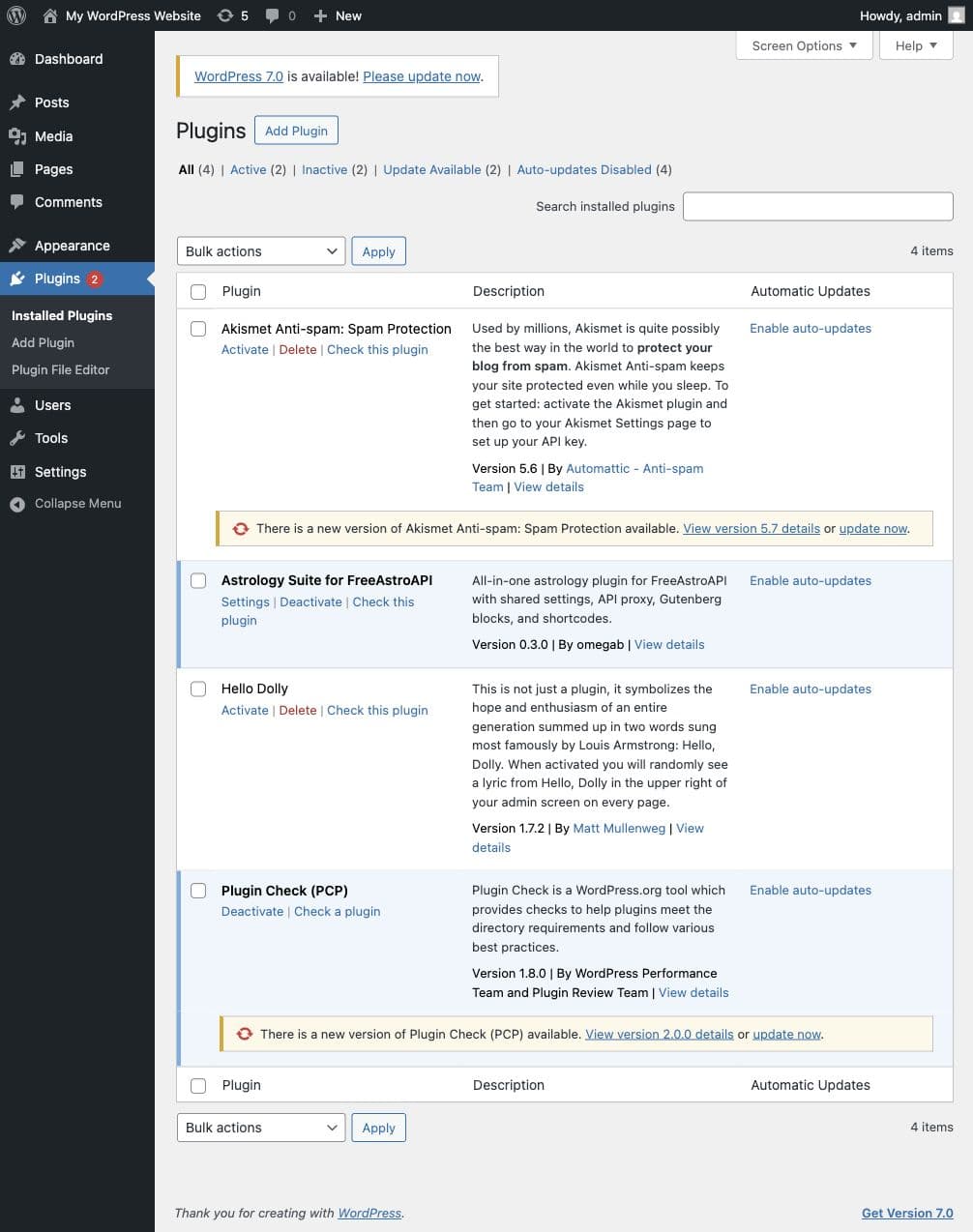
在 WordPress 中打开 Plugins > Add New Plugin,搜索:
Astrology Suite for FreeAstroAPI安装后点击 Activate(启用)。
也可以从 WordPress.org 下载 ZIP 后手动上传:
启用后,WordPress 会添加设置页:
Settings > Astrology Suite插件还会在 WordPress 区块编辑器中注册 Astrology Suite 区块。
2. 创建 FreeAstroAPI key
插件需要 FreeAstroAPI key 才能计算星盘或报告。
创建免费账户:
然后打开控制台:
进入 API Keys,创建 key 并立即复制。完整 key 只显示一次。
请妥善保管 key,不要放到公开页面、截图、GitHub issue 或前端 JavaScript 中。
3. 在 WordPress 中保存 API key
打开:
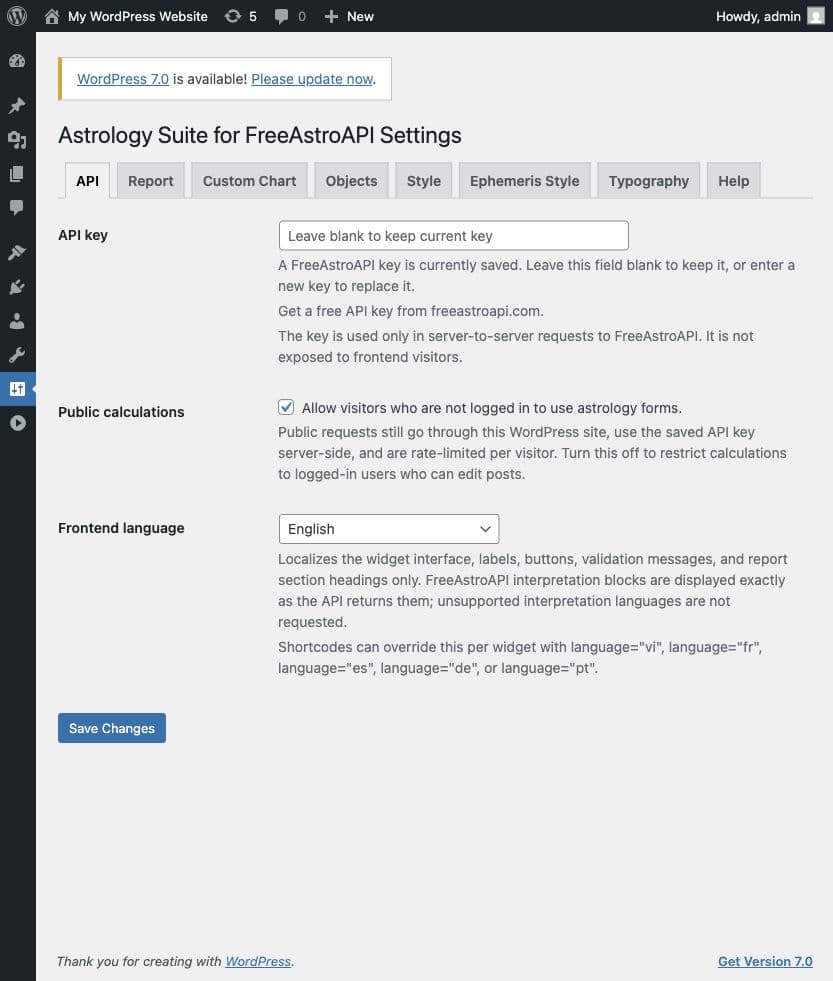
Settings > Astrology Suite > API把 FreeAstroAPI key 粘贴到 API key 字段,点击 Save Changes(保存更改)。
注意:保存后 API key 字段可能显示为空,这是正常现象。留空表示继续使用已保存的 key;如需替换,请粘贴新 key。
插件从 WordPress 发送 API 请求。访客不会在浏览器中收到原始 API key。
4. 允许访客使用工具
仍在 Settings > Astrology Suite > API 中,检查公开访问设置。
如果希望访客无需登录即可使用星盘、报告、基础星座和星历表单,请启用 Allow public calculations(允许公开计算)。
如果关闭,公开访客会看到访问提示而不是表单。私密会员站可以关闭,大多数公开占星工具应开启。
5. 选择前端语言
Frontend language(前端语言)控制插件界面文本,例如表单标签、按钮、加载消息和状态消息。
选择访客要看到的语言,然后点击 Save Changes。
此设置只控制插件界面。解读文本取决于 FreeAstroAPI 对所选端点和选项返回的内容。
6. 从星盘 + 报告区块开始
打开你要放置占星工具的 WordPress 页面。
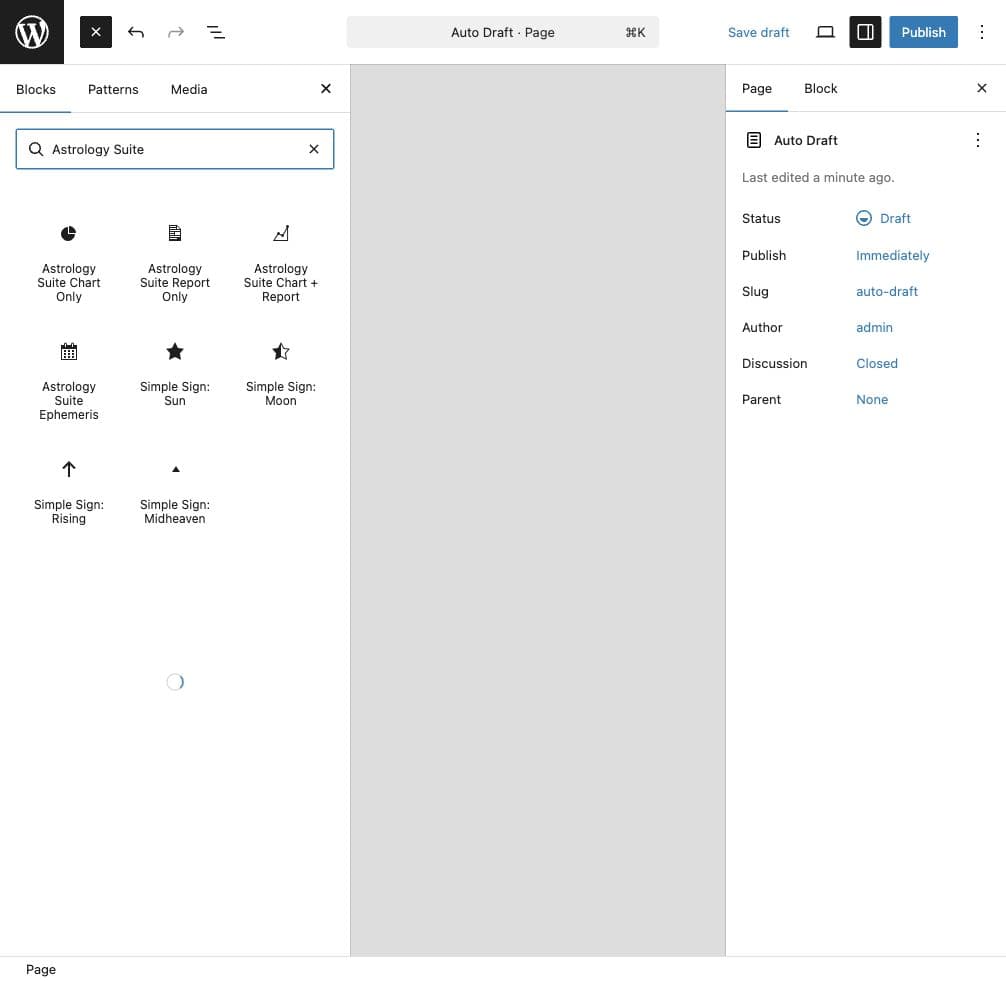
在区块编辑器中点击 +,搜索:
Astrology Suite第一张公开页面建议使用:
Astrology Suite Chart + Report它会向访客显示一个表单,并生成本命盘和解读报告。
其他可用区块:
- Astrology Suite Chart Only(仅星盘)
- Astrology Suite Report Only(仅报告)
- Astrology Suite Ephemeris(星历)
- Simple Sign: Sun(太阳星座)
- Simple Sign: Moon(月亮星座)
- Simple Sign: Rising(上升星座)
- Simple Sign: Midheaven(天顶星座)
添加后发布或更新页面。
7. 测试公开页面
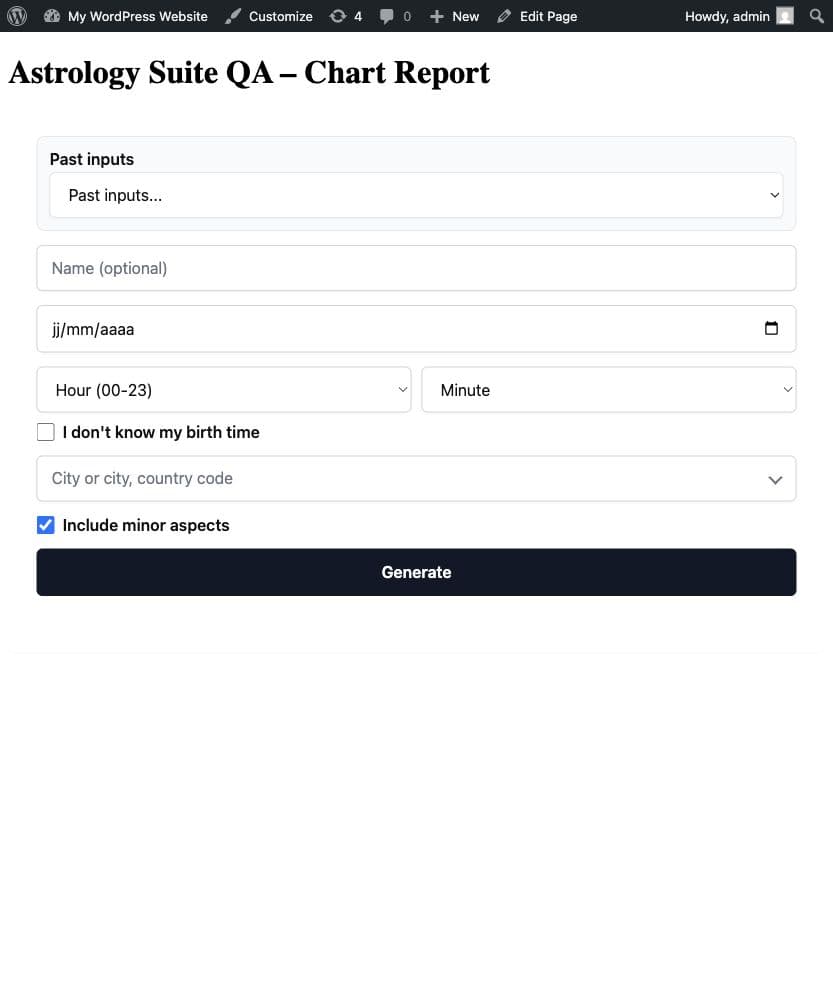
打开前端页面,不要只看编辑器预览。
请用真实测试资料提交本命盘和报告区块:
- 姓名
- 出生日期
- 出生时与分
- 出生城市
城市字段会在输入至少两个字符后搜索。请选择下拉建议,确保插件使用正确的时区、纬度和经度。
如果访客不知道出生时间,可以选择 I do not know my birth time(我不知道出生时间)。插件会按出生时间未知处理,并省略无法可靠计算的时间相关细节。
8. 选择星盘样式
打开:
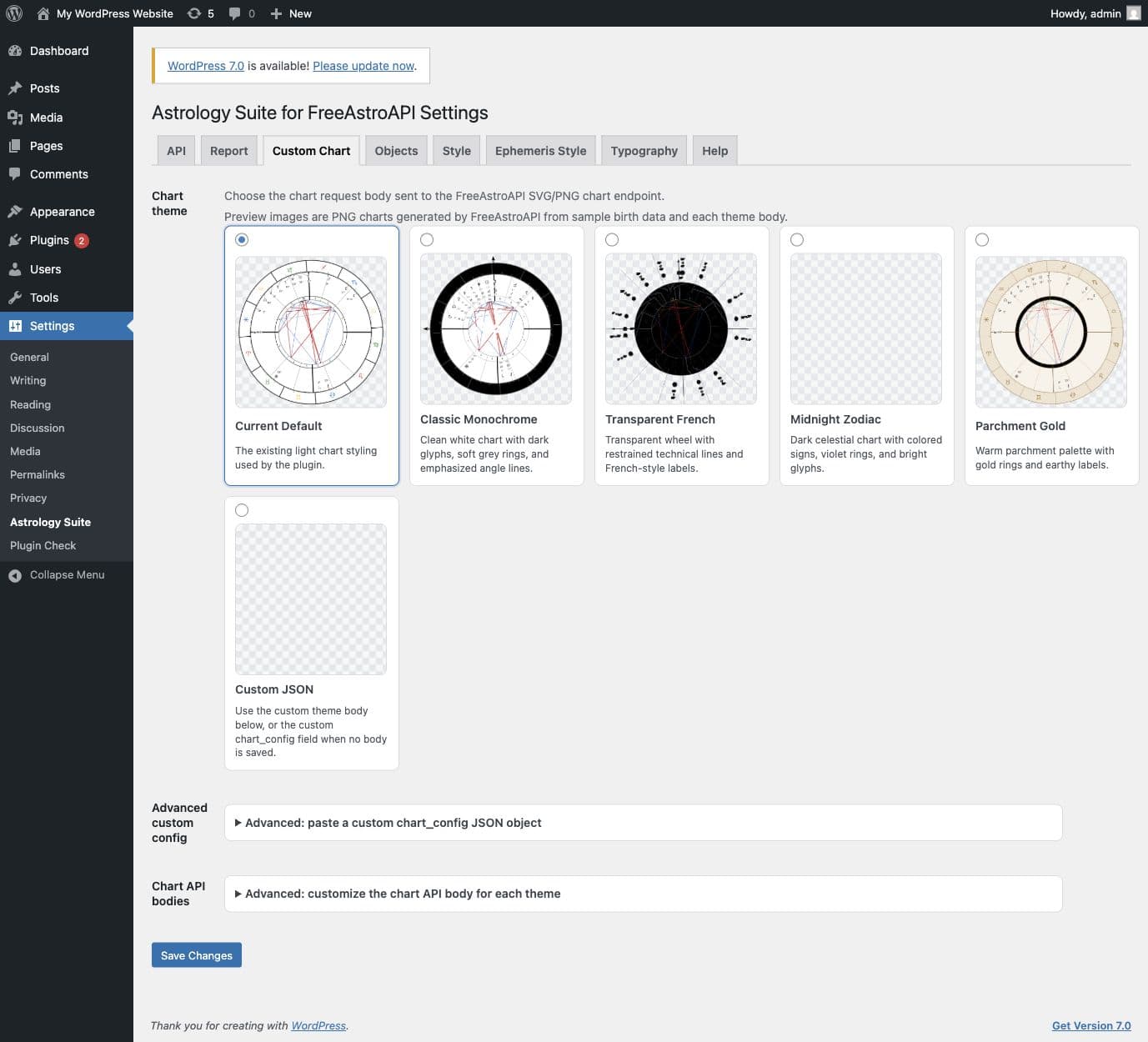
Settings > Astrology Suite > Custom Chart选择预设星盘主题并保存。然后刷新公开页面,再提交一次测试。
推荐流程:
- 选择预设星盘主题。
- 保存设置。
- 测试公开页面。
- 基础流程正常后,再使用高级自定义星盘 JSON。
之后如果要设计自定义样式,可以使用 FreeAstroAPI Chart Designer:
9. 配置报告长度和章节
打开:
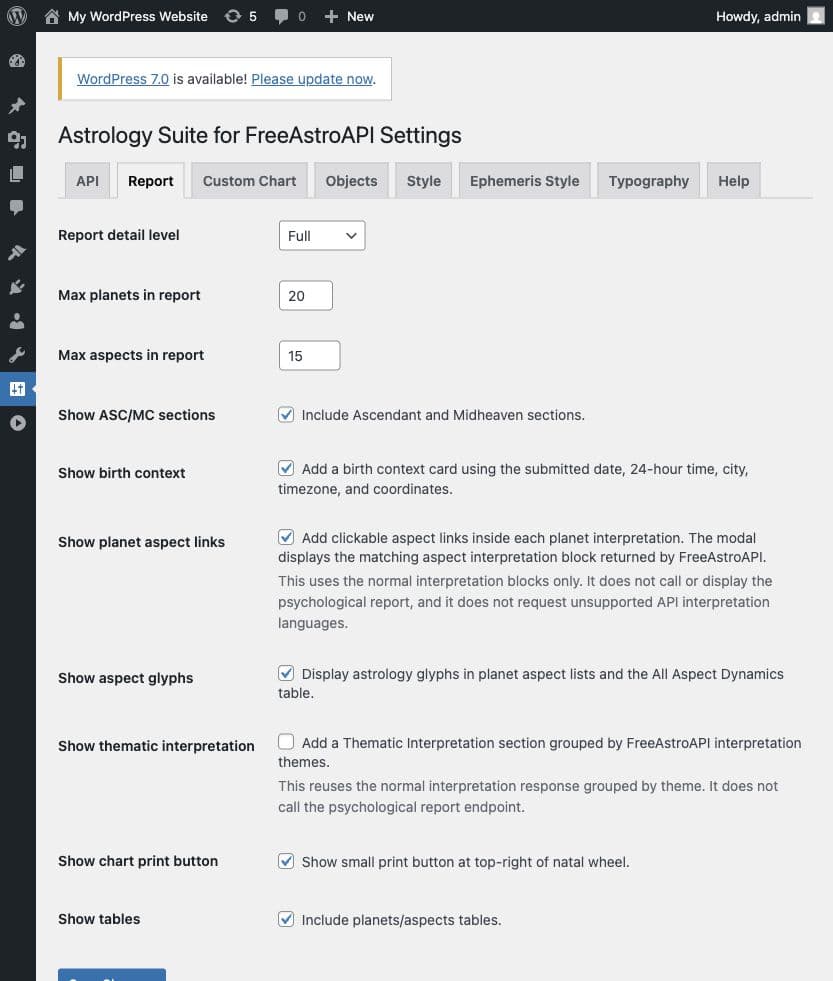
Settings > Astrology Suite > Report此选项卡控制访客能看到多少报告内容。
新手常用设置:
- 报告详细程度(Report detail level)
- 最多显示的行星数
- 每个章节最多显示的相位数
- 是否包含 ASC 和 MC 章节
- 是否显示出生背景
- 是否显示表格
- 是否显示星盘打印控件
- 是否显示行星相位链接
- 是否显示主题解读章节
先用默认值。页面太长时再降低限制。
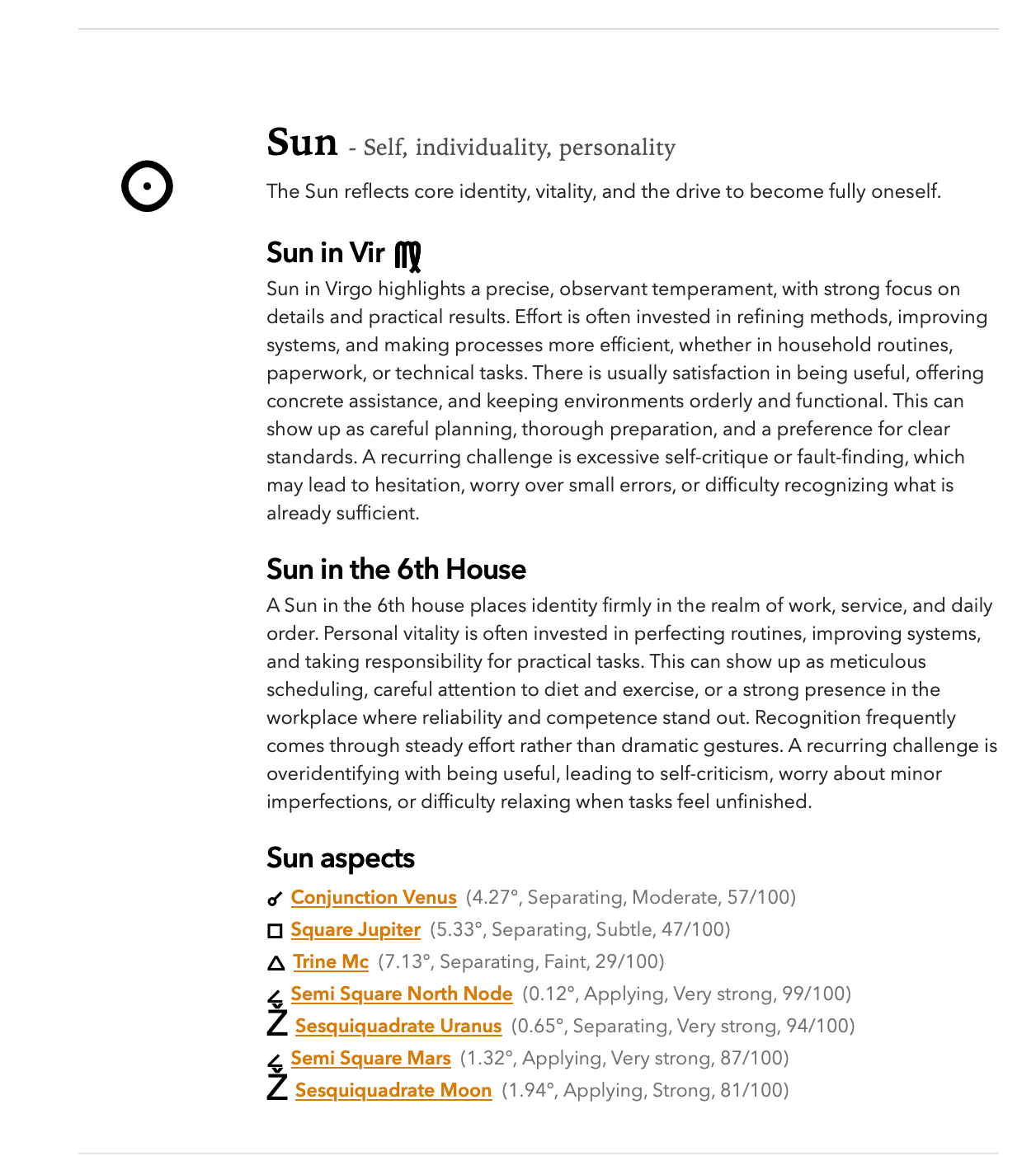
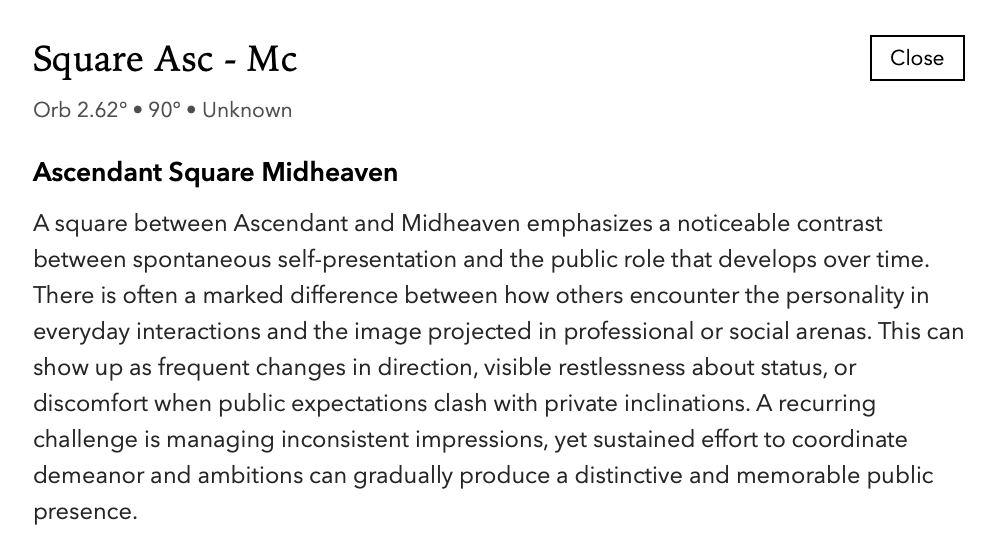
如果启用 Show planet aspect links(显示行星相位链接),行星章节可以显示相关相位链接。访客点击后,如果 FreeAstroAPI 返回对应解读,就会打开模态框。
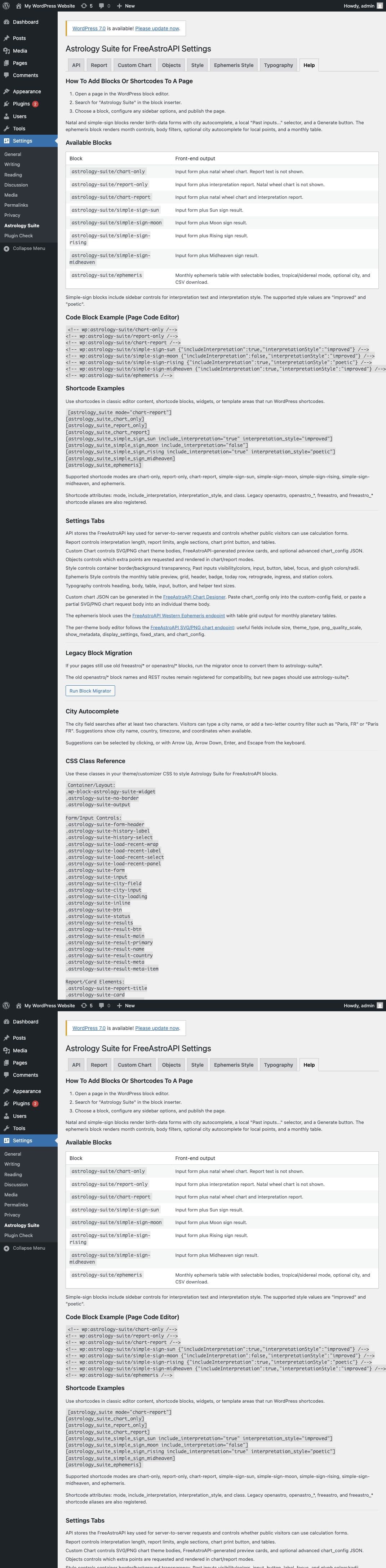
10. 使用 shortcode
如果主题、经典编辑器、小工具区域或页面构建器更适合 shortcode,可以使用插件提供的 shortcode:
[astrology_suite mode="chart-report"]
[astrology_suite mode="chart-only"]
[astrology_suite mode="report-only"]
[astrology_suite_chart_only]
[astrology_suite_report_only]
[astrology_suite_chart_report]
[astrology_suite_simple_sign_sun include_interpretation="true"]
[astrology_suite_simple_sign_moon]
[astrology_suite_simple_sign_rising]
[astrology_suite_simple_sign_midheaven]
[astrology_suite_ephemeris]
适合使用 shortcode 的情况:
- 使用经典编辑器。
- 页面构建器对 shortcode 的支持优于 Gutenberg 区块。
- 想把工具放到支持 shortcode 的小工具或模板区域。
11. 调整小工具样式
打开:
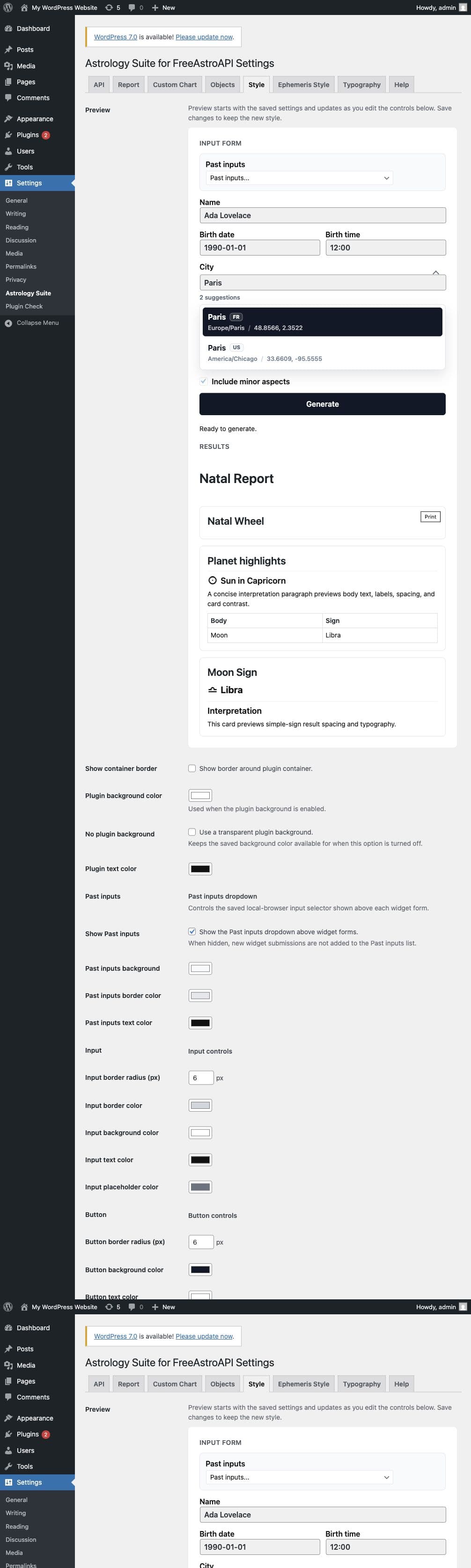
Settings > Astrology Suite > Style此选项卡控制主要小工具的外观:
- 容器背景
- 边框可见性
- 表单输入框
- 标签
- 按钮
- 聚焦状态
- 结果卡片
- 历史输入控件
- 相位解读模态框颜色
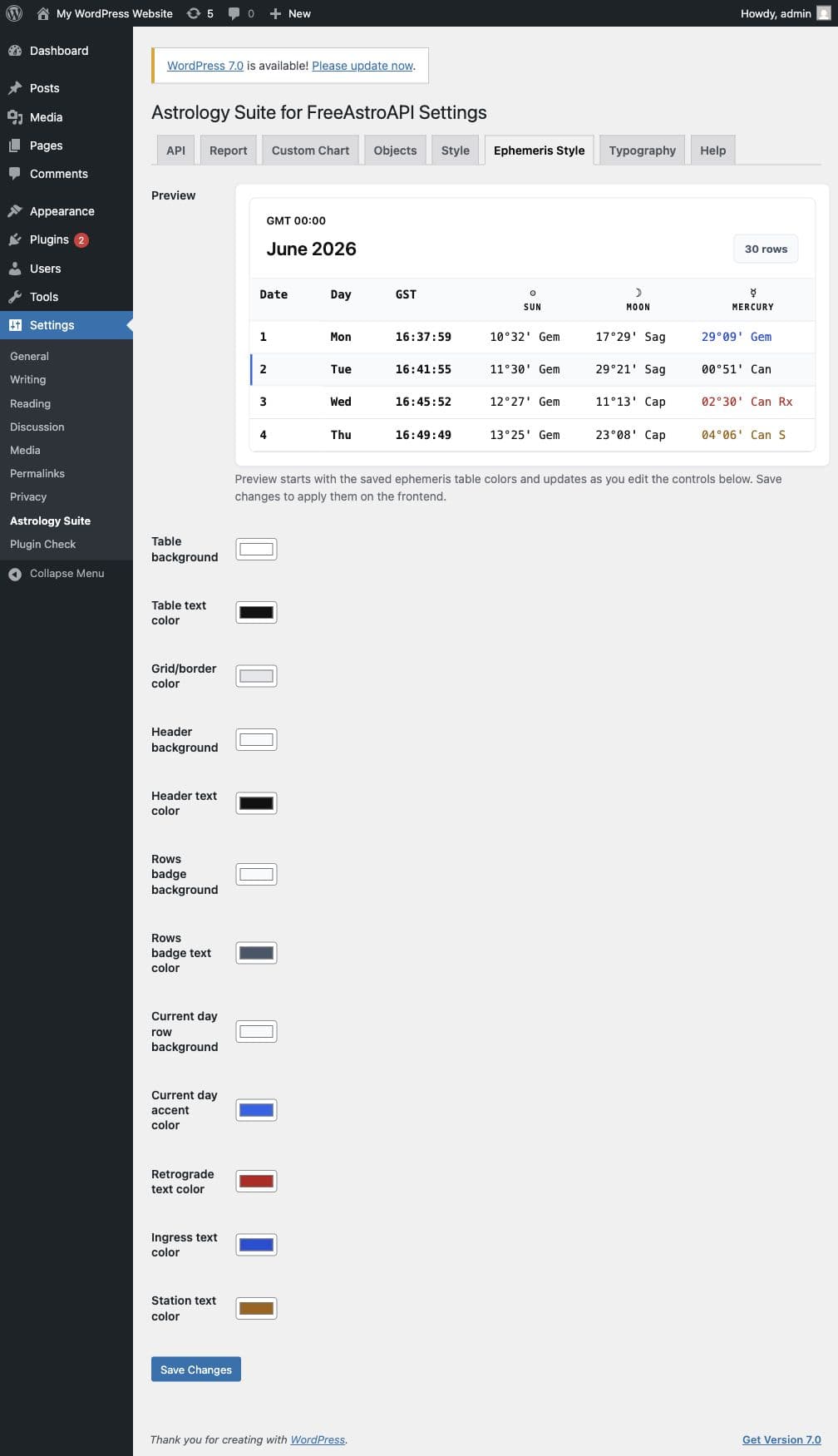
星历表使用单独的选项卡:
Settings > Astrology Suite > Ephemeris Style它控制表格背景、文本、网格线、表头颜色、当天样式、逆行值、入座值和停滞值。
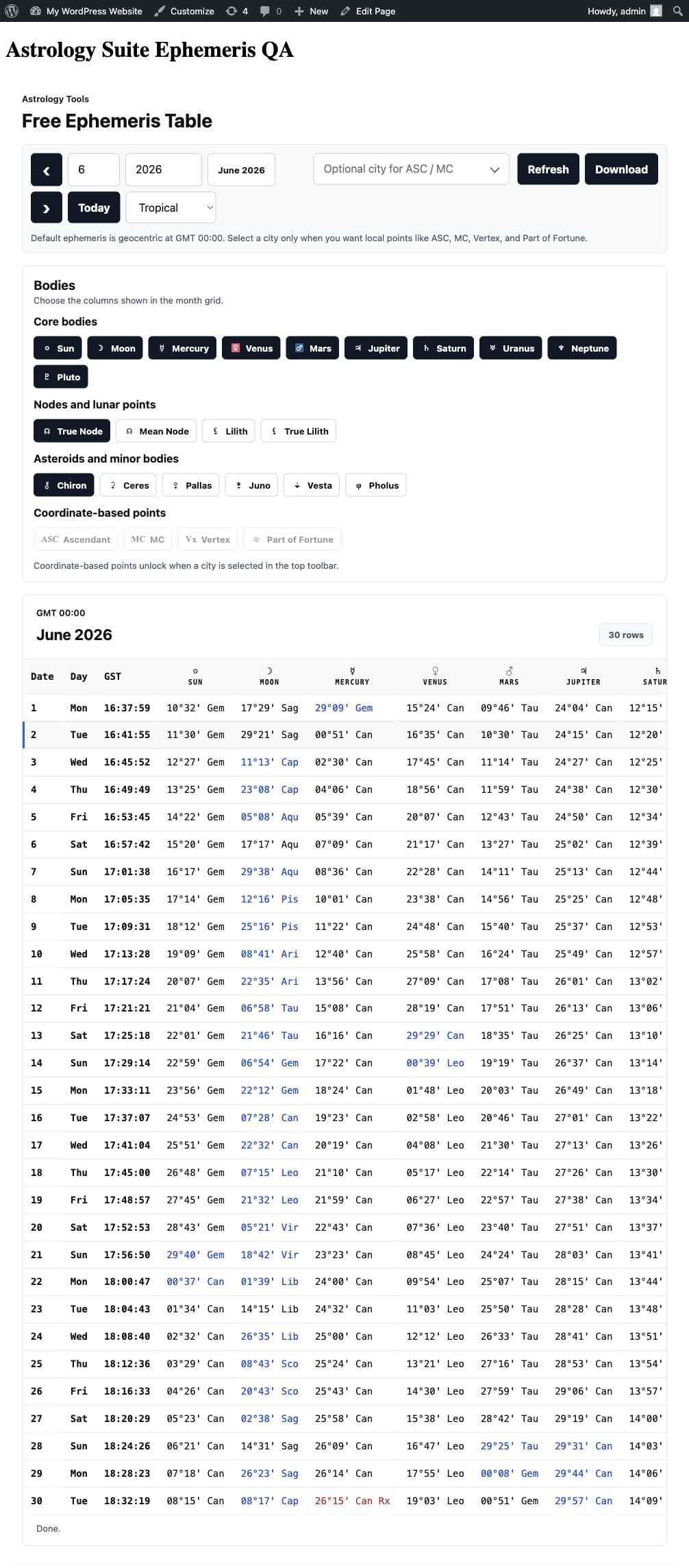
在前端,星历区块允许访客切换月份、年份、黄道模式、所选天体和 CSV 导出选项。
12. 添加隐私说明
访客提交表单时,Astrology Suite 会通过 HTTPS 把计算请求发送到 FreeAstroAPI。
根据所用区块,请求数据可能包括:
- 出生日期和时间
- 出生时间未知选项
- 城市、时区、纬度和经度
- 所选星盘和报告选项
- 所选占星点
- 所选星历月份、年份、黄道模式和天体
默认情况下,插件不会把访客出生数据保存到 WordPress。可选的历史输入列表保存在访客浏览器的 local storage 中。
请在工具附近或隐私政策里添加简短说明。
13. 常见问题
表单提示访客没有访问权限
打开 Settings > Astrology Suite > API 并启用公开计算。如果工具仅供内部使用,请以有编辑权限的 WordPress 用户登录。
API key 字段保存后为空
这是正常的。留空表示继续使用已保存 key;粘贴新 key 会替换。
城市建议不出现
检查访客是否输入至少两个字符、API key 是否已保存、站点是否能访问 FreeAstroAPI。
可以试更具体的查询:
Paris, FR星盘不渲染
检查:
- API key 有效。
- 出生表单使用了下拉列表中的城市建议。
- Custom Chart 选项卡中没有无效的自定义 JSON。
- 浏览器控制台或 WordPress 错误日志中没有 API 错误。
报告缺少宫位、ASC 或 MC
这些字段依赖出生时间。如果访客选择出生时间未知,插件会省略时间相关细节,而不会显示不可靠的占位内容。
样式修改没有显示
检查:
- 已保存正确的设置选项卡。
- 已清理页面缓存。
- 主题 CSS 没有覆盖插件样式。
- 普通小工具使用 Style,星历表使用 Ephemeris Style。
14. 发布清单
- 安装并启用插件。
- 保存有效的 FreeAstroAPI key。
- 如果页面公开,启用公开计算。
- 选择前端语言。
- 添加星盘、报告、基础星座或星历区块。
- 提交一次真实测试请求。
- 确认城市自动补全正常。
- 测试出生时间未知选项。
- 确认星盘或报告在桌面端显示正确。
- 在移动端测试页面。
- 添加隐私说明。
- 清理 WordPress 缓存。
完成这些检查后,WordPress 占星入门套件就可以向访客开放了。